What are review editions?
Many feedback processes in easyreview are set up as recurring surveys. Annual reviews, pulse surveys, and 360° feedbacks are meant to measure satisfaction or performance over time and make it comparable.
Editions make exactly that possible: you can start new participation rounds for a feedback process as often as you like and collect results, without rebuilding the questionnaire or the base configuration.
What is an edition?
An edition is a single run of a feedback process. It defines the time frame in which participation is possible.
Each edition has:
- A start and end date: the period in which participants can fill out the survey.
- Its own participant list: for each edition you decide individually who takes part. This lets you react to staffing changes, such as new employees or a change of supervisor.
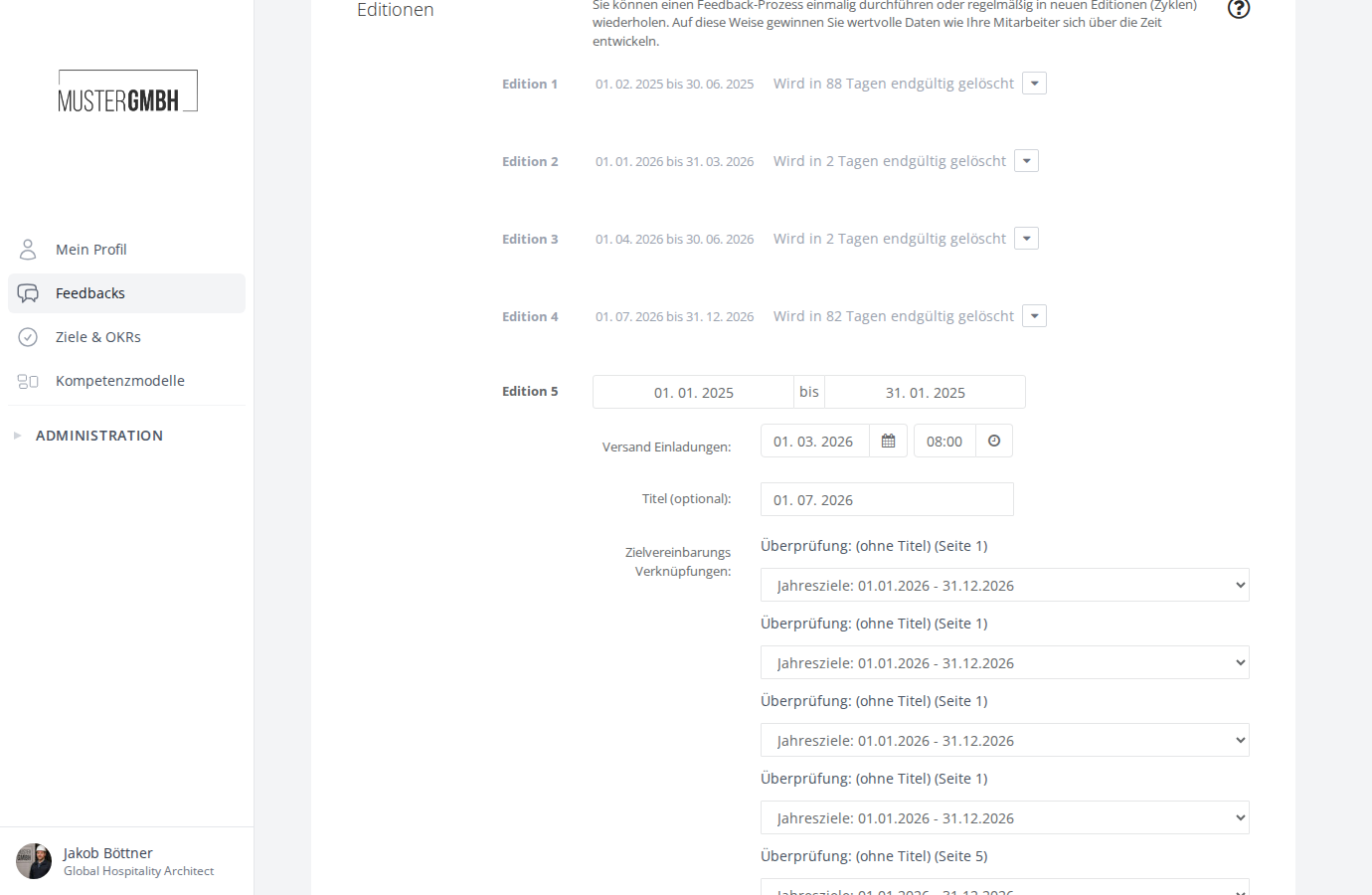
- An optional label: you can give each edition its own name, such as “Q1 2026” or “Half-year 2”. In the settings it appears next to the number (“Edition 3 · Q1 2026”). Without a label, the settings show only the number and the status page shows the time frame.
All editions of a feedback process use the same questionnaire. The basic settings of the process (perspectives, process & visibility, e-mails) also apply to every edition.
An edition’s status
Each edition has one of three statuses, derived automatically from the time frame you set:
- not yet started: the start date is in the future.
- active: the start date is in the past and the end date is in the future.
- ended: the end date is in the past.
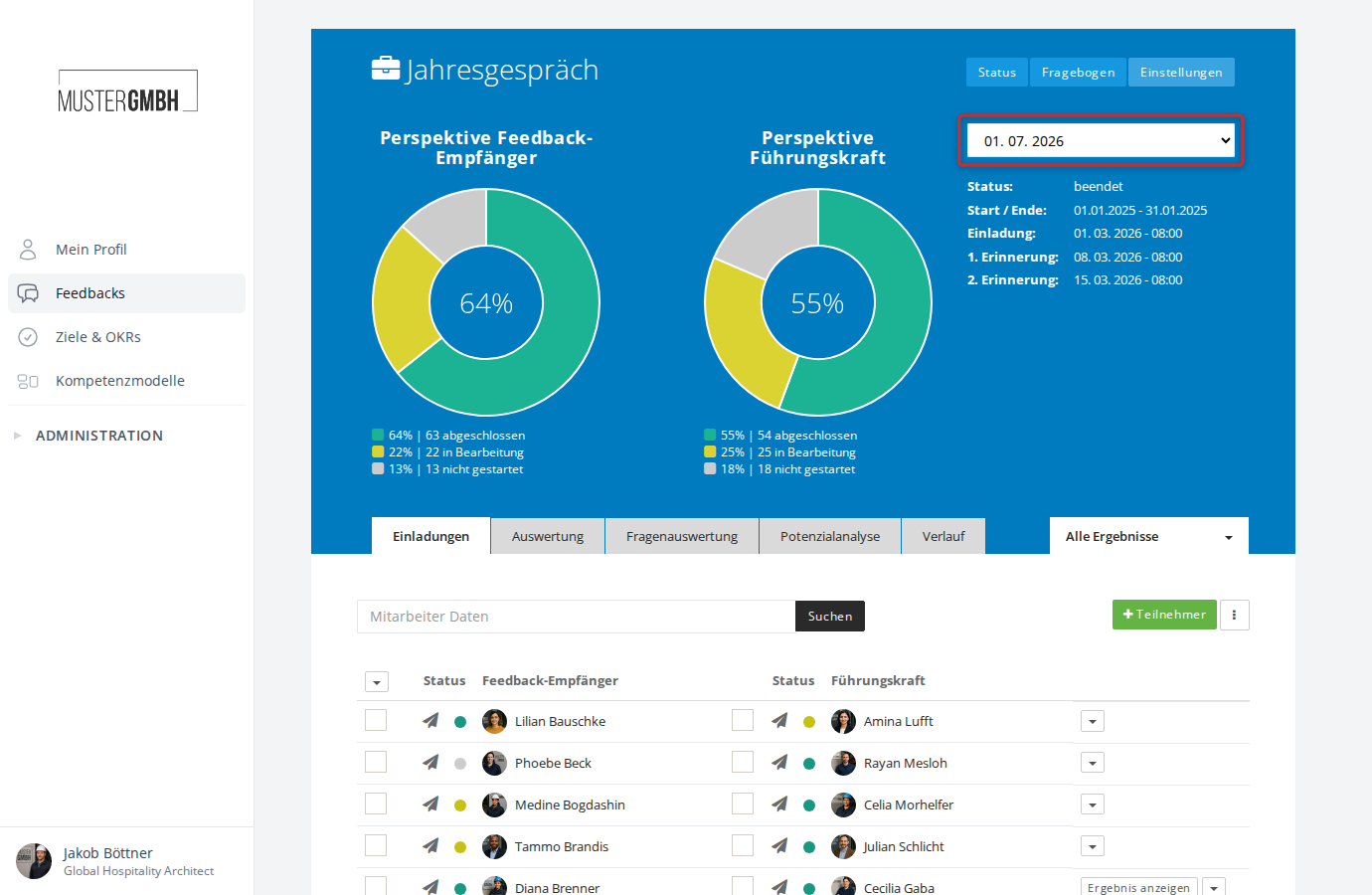
The status is shown on the status page, to the right of the edition selector. In the settings, the “Editions” page groups editions by the same states: Running, Planned and Completed.
Switch between editions
On a feedback process’s status page, use the dropdown in the header to switch between editions. All tabs (Review, Evaluation, Question evaluation, Potential analysis, Time series) always refer to the currently selected edition.
For more, see Select an edition.
Manage editions
Editions are created and configured in a feedback process’s settings.
Deleted editions stay restorable for 90 days. They are listed on the “Editions” page in the “Deleted” group and show how many days are left before they are removed permanently.
Trends across editions
On the status page you find the “Time series” tab. It shows how results developed across editions and makes trends visible.
Example
You create a feedback process called “Annual review” and build a questionnaire for it. In January 2025 you start the first edition, invite your employees, and collect results.
In January 2026 you create a new edition, add the current employees to the participant list, and start the survey again. You do not have to rebuild the questionnaire.
You repeat this cycle every year. Using the “Time series” tab, you can compare the results of all years against each other.