Change the supervisor of a participation
To change the supervisor of a participation in a review edition:
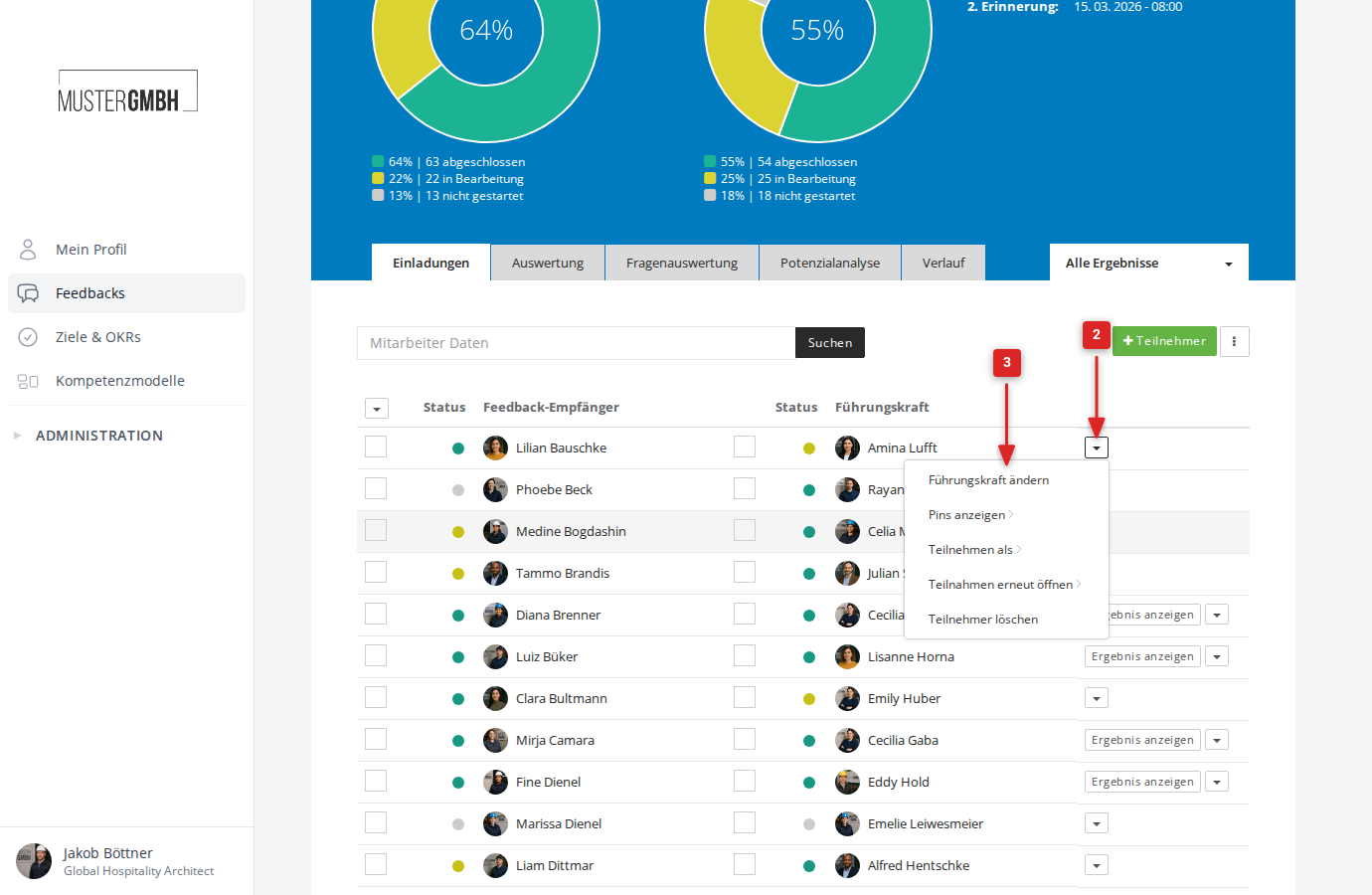
- Open the participant list of the review edition
- Click the arrow at the right edge of the participation’s row to open the action menu
- Click “Change supervisor”
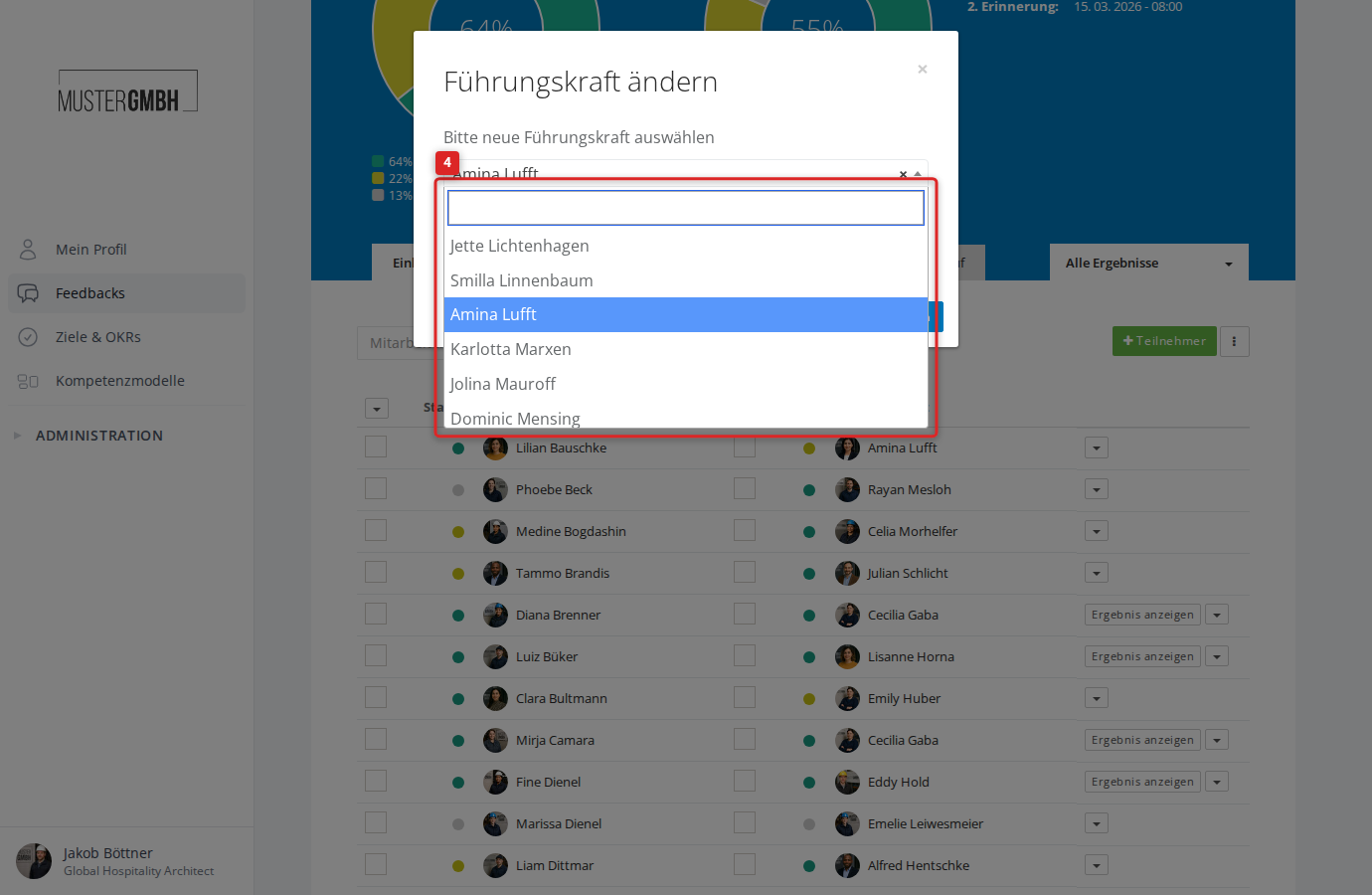
- In the dialog, choose the new supervisor. You can search the list using the search field.
- Click “Save”
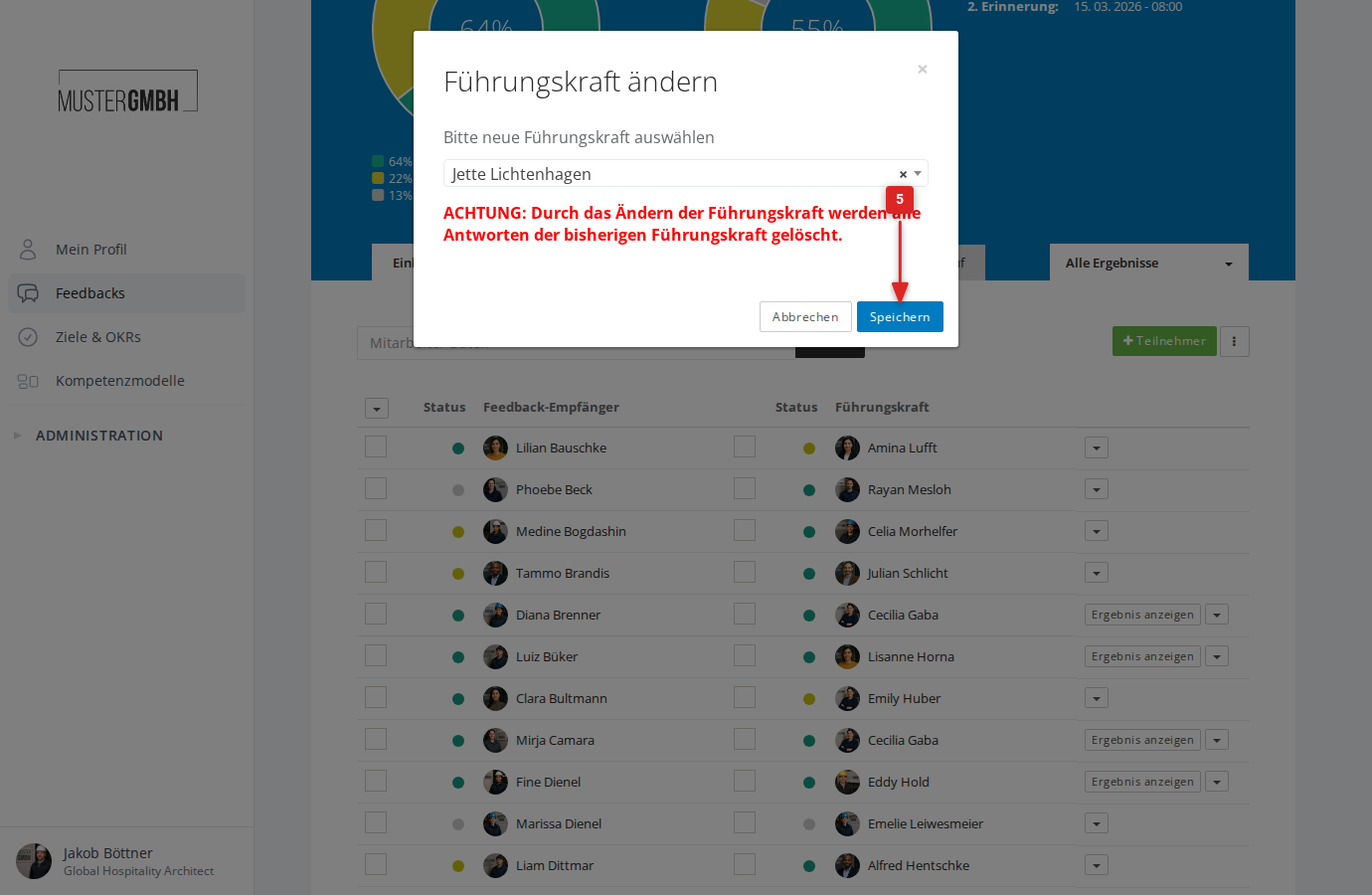
The page reloads and the supervisor in the participant list is changed immediately.