Add a competency evaluation
A competency evaluation groups the questions in your questionnaire by theme. You assign each question to one or more competencies, and the results are then shown per competency in the evaluation — for example as a radar chart.
Open the configuration page
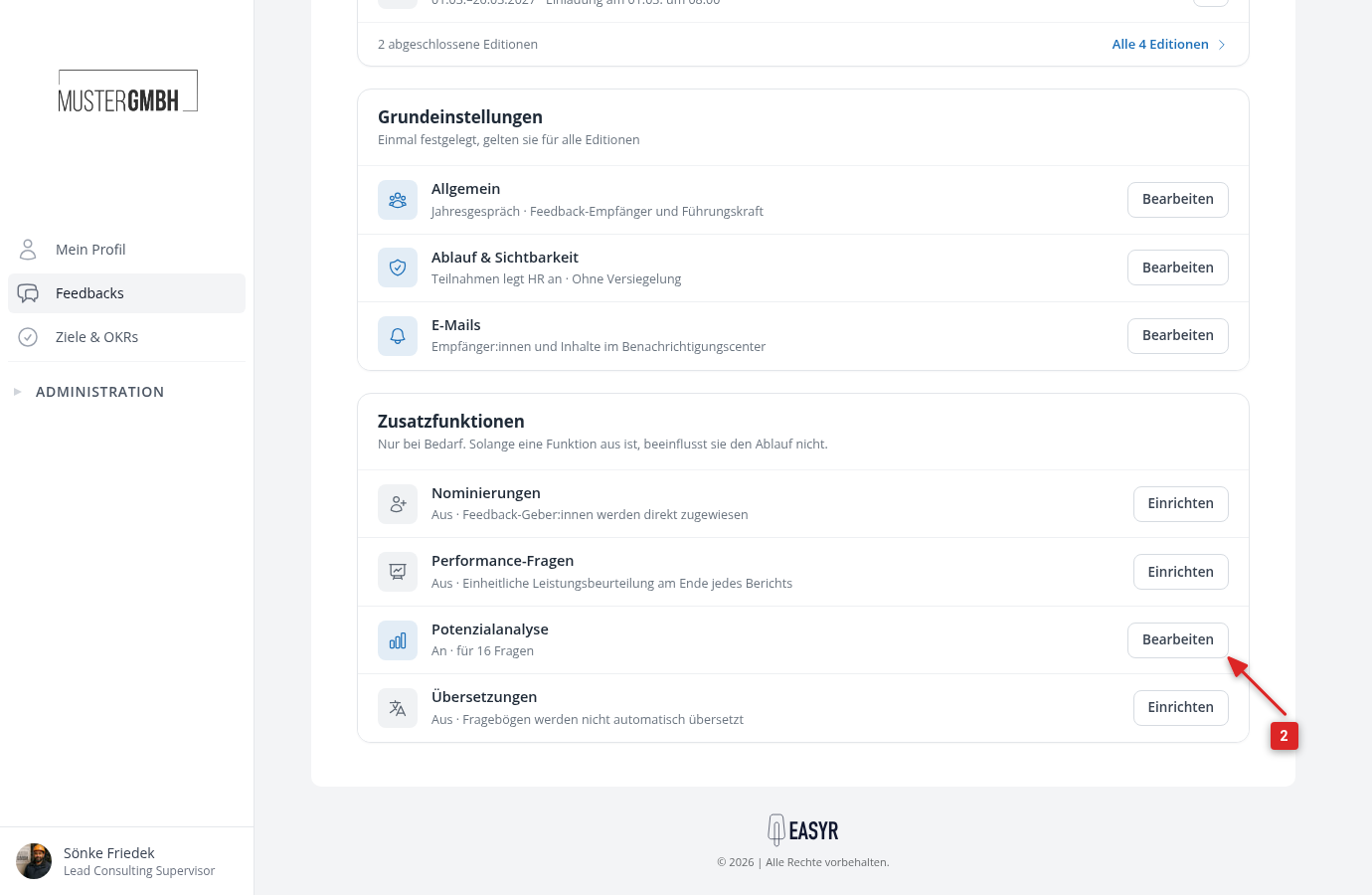
- Open the review settings.
- In the “Additional functions” card, click “Set up” in the “Potential analysis” row. If the potential analysis is already set up, the button reads “Edit”.
- Click Show configuration to expand the competency area.
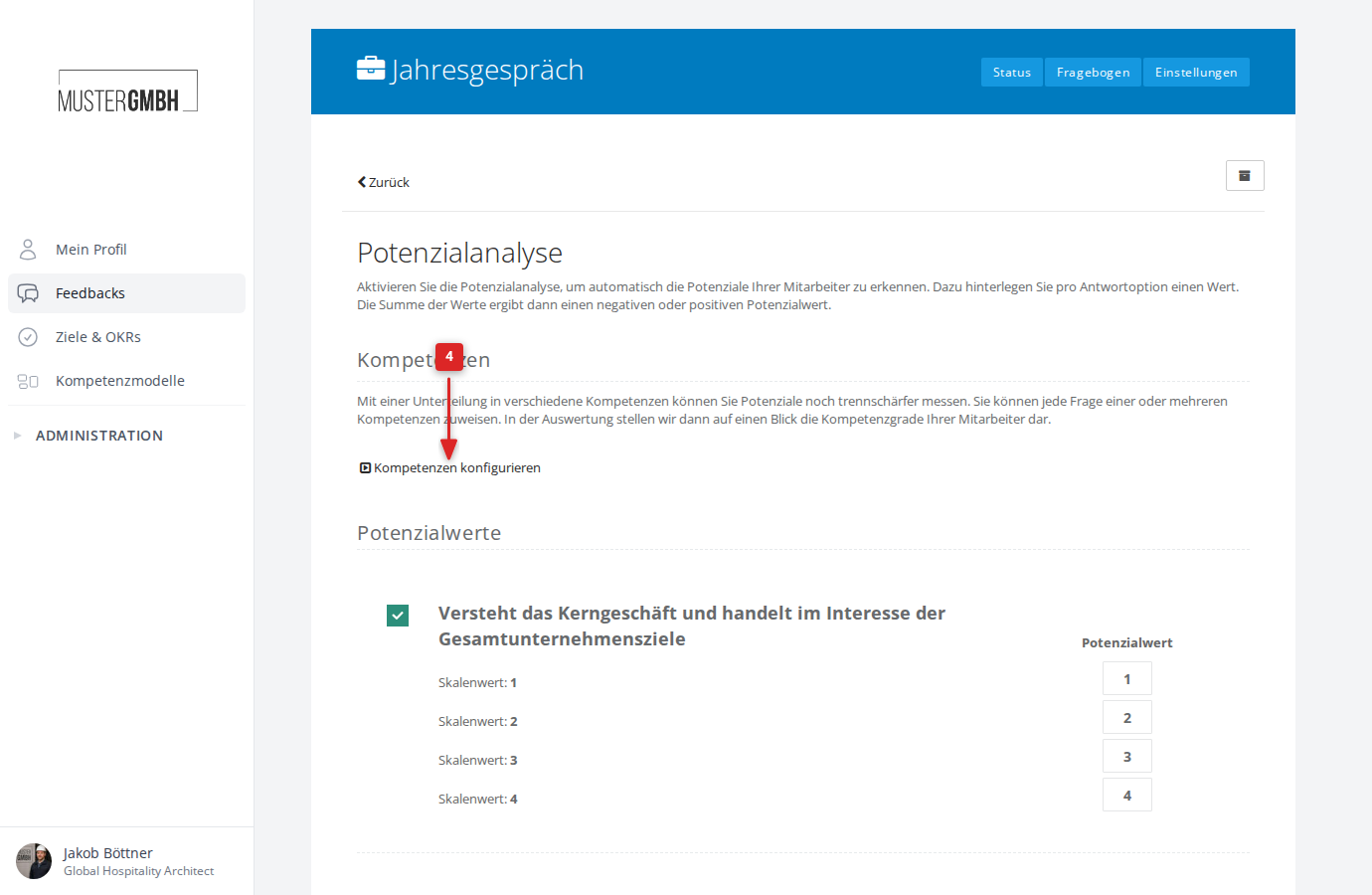
Add a competency category
Competencies live inside competency categories. A category groups related competencies together (for example “Professional skills”, “Social skills”).
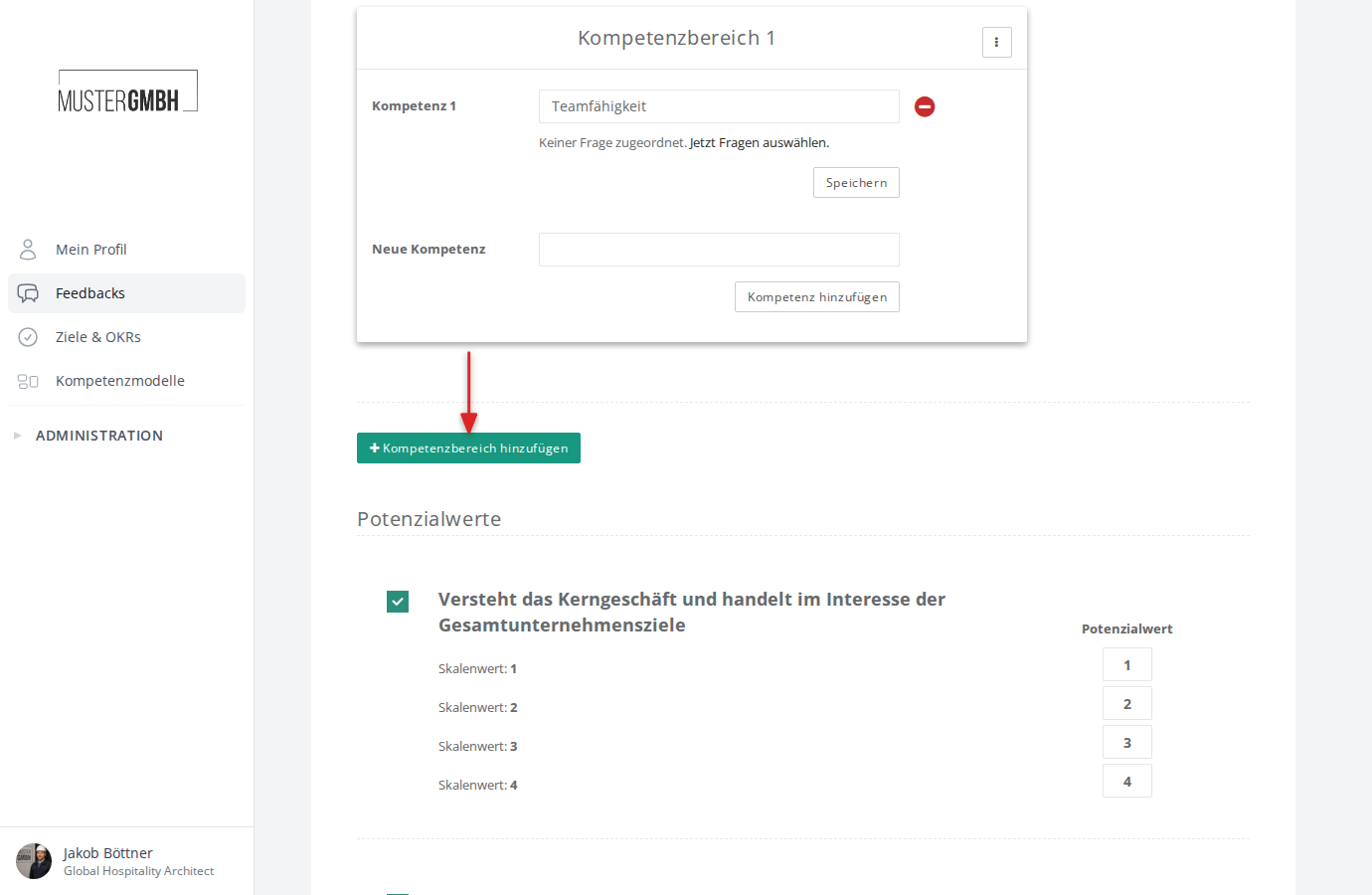
The first time you open the configuration, one empty category is already there. Add more categories with the green Add competency category button.
Add a competency
- Enter the name of the competency in the text field (for example “Teamwork”)
- Click Add competency
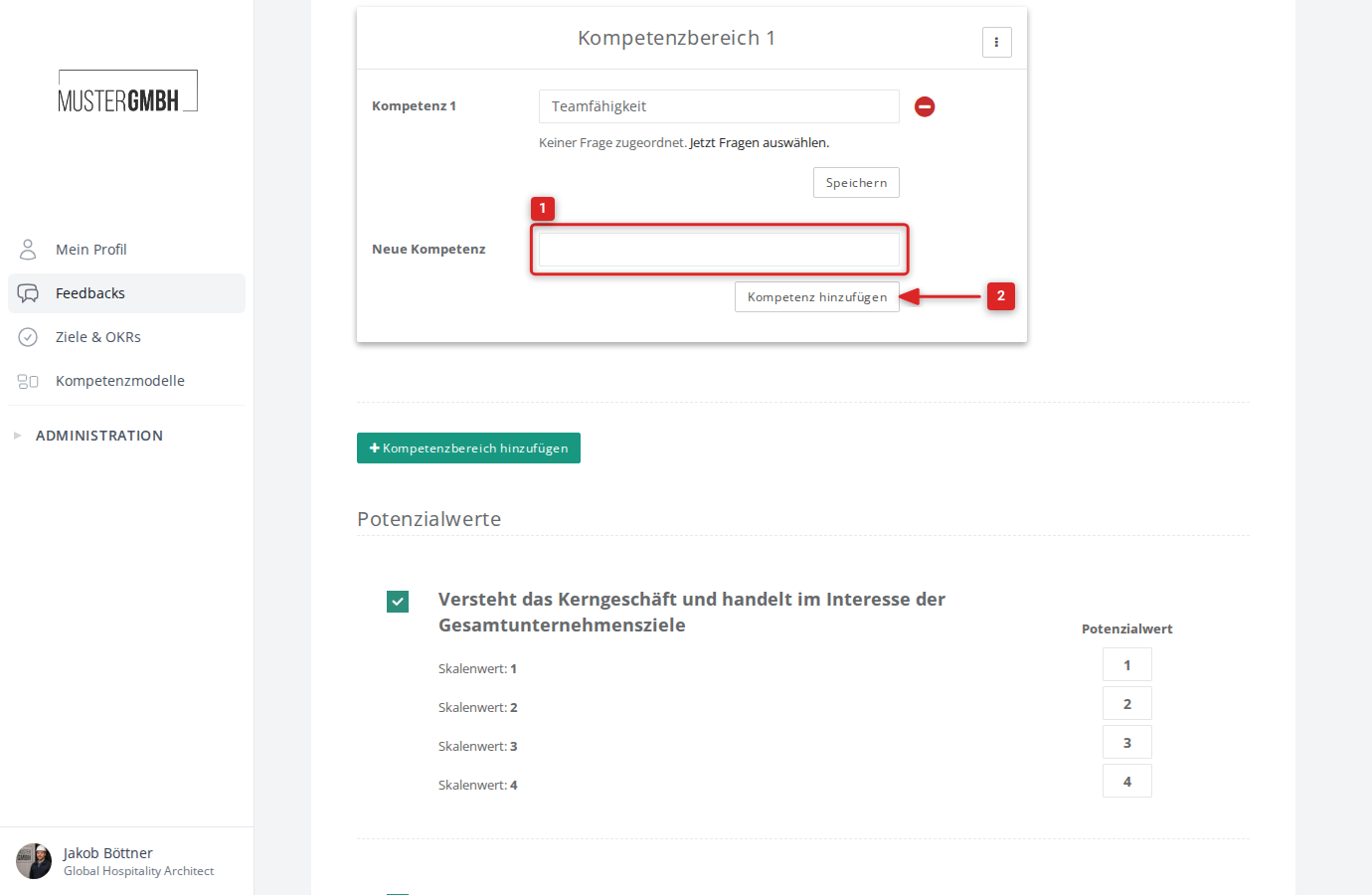
The competency now appears in the list. You can add as many competencies per category as you like.
Assign questions
After adding a competency, you assign questions from the questionnaire to it.
- Click Choose questions on the competency you want to configure
- A dialog opens with all closed questions in the questionnaire
- Tick the questions that belong to this competency
- Click Associate questions
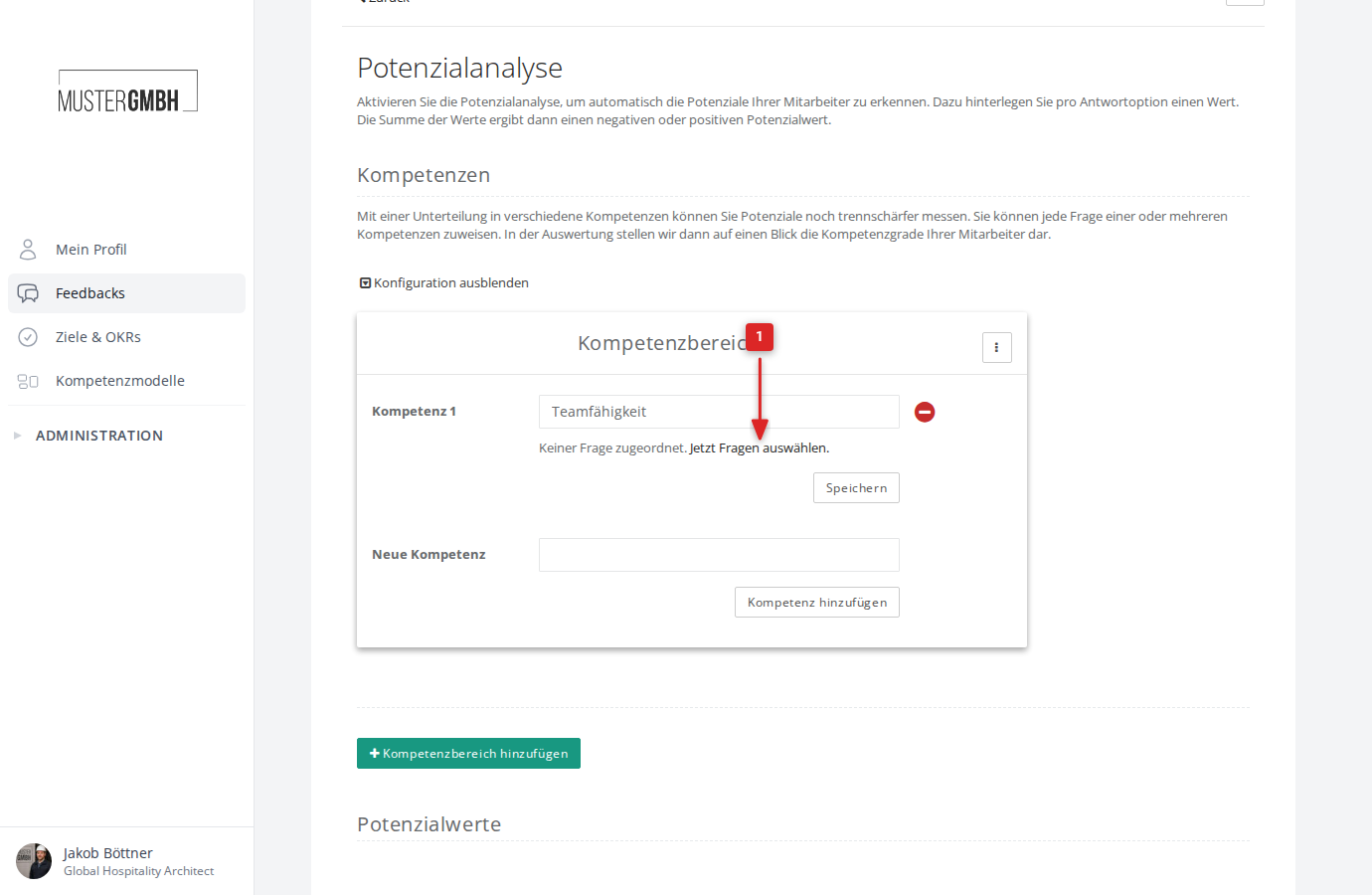
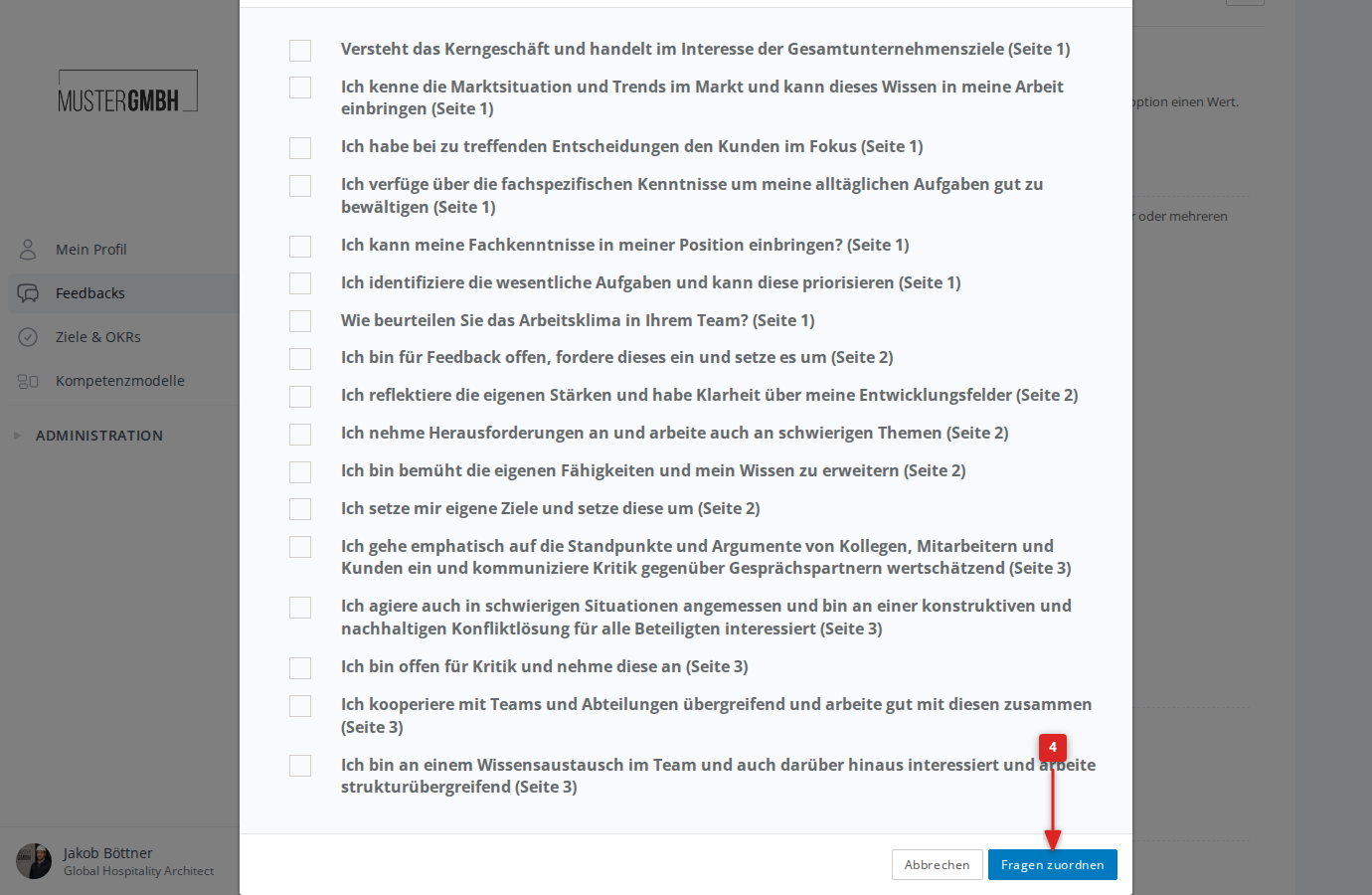
Once assigned, the competency shows how many questions it covers. Use the Change link to adjust the assignment at any time.
Rename a competency category
- Click the three-dot menu (⋮) to the right of the category name
- Select Rename
- Enter the new name and click Save
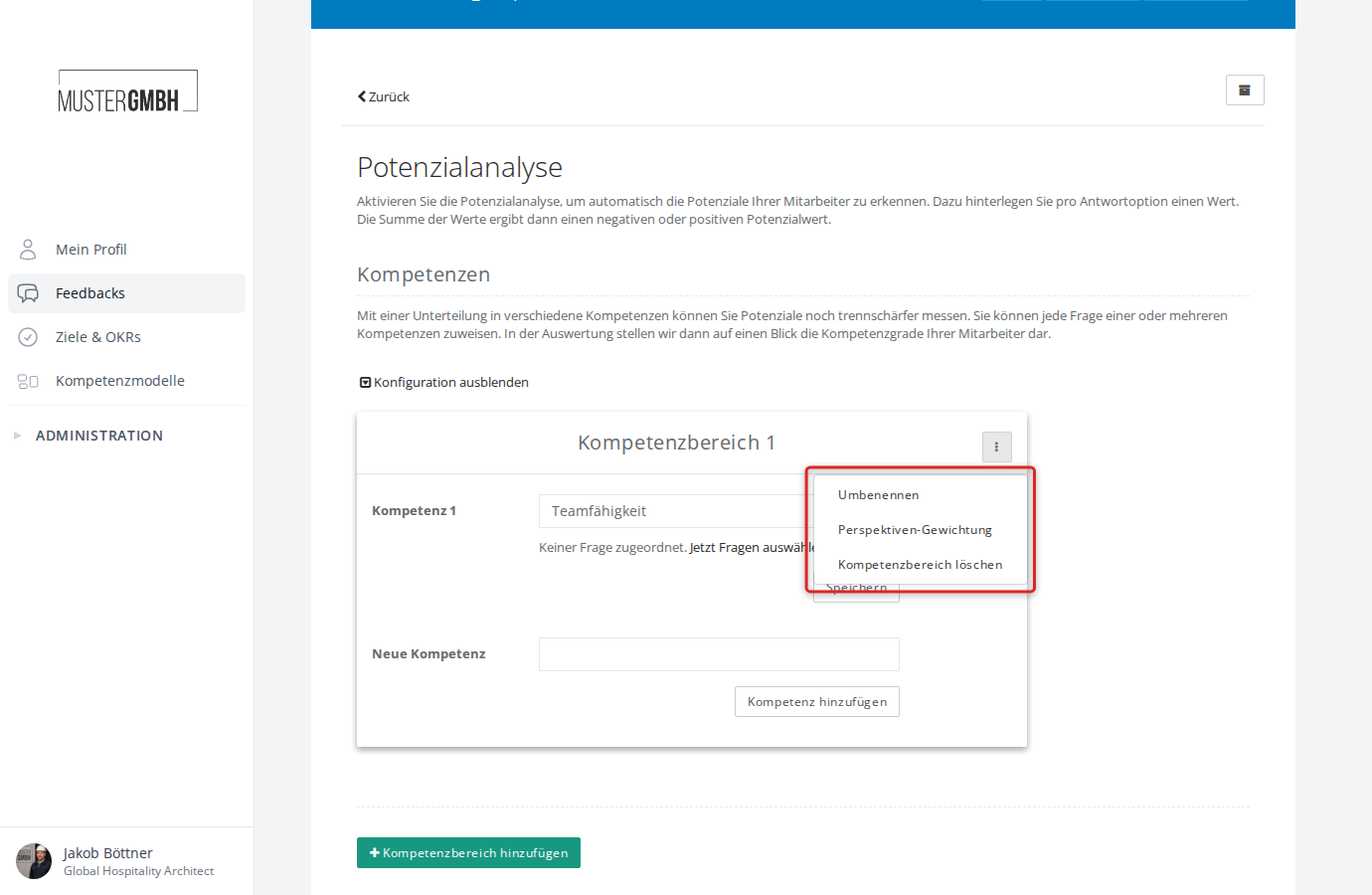
Perspective weighting
When a review has more than one perspective (for example feedback recipient and supervisor), you can set how strongly each perspective counts toward the competency evaluation.
- Click the three-dot menu (⋮) of the category
- Select Perspective weighting
- Enter a weighting value for each perspective
- Click Save
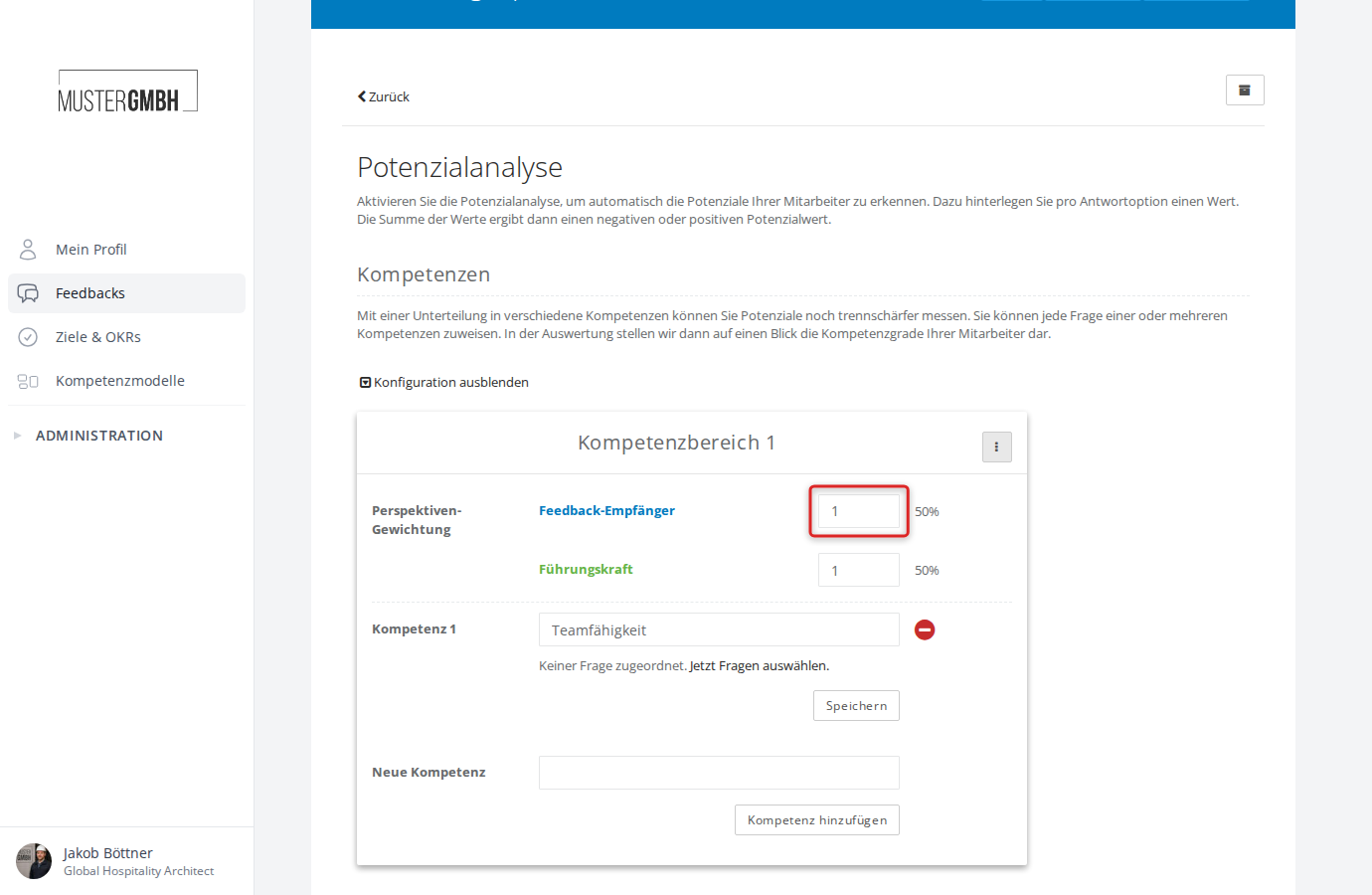
Delete a competency or category
Delete a competency: Click the red minus icon next to the competency. You are asked to confirm.
Delete a category: Open the three-dot menu (⋮) and select Delete competency category. All competencies inside the category are deleted as well.
Save changes
After adjusting the competencies inside a category, click Save to apply the changes to the competency names.
Use in dashboards
New dashboards can use the configured competency analyses. They keep the question assignments, the sum or average per competency, and the competency and perspective weights. Separately in the dashboard, choose a weighted average or weighted sum for the competency category result.
See Analyze the whole feedback round for details.