Create a feedback process
This feature is only available to users with the “HR employee” role.
Step by step
- Open the feedbacks overview.
- Click “Add review” at the top right.
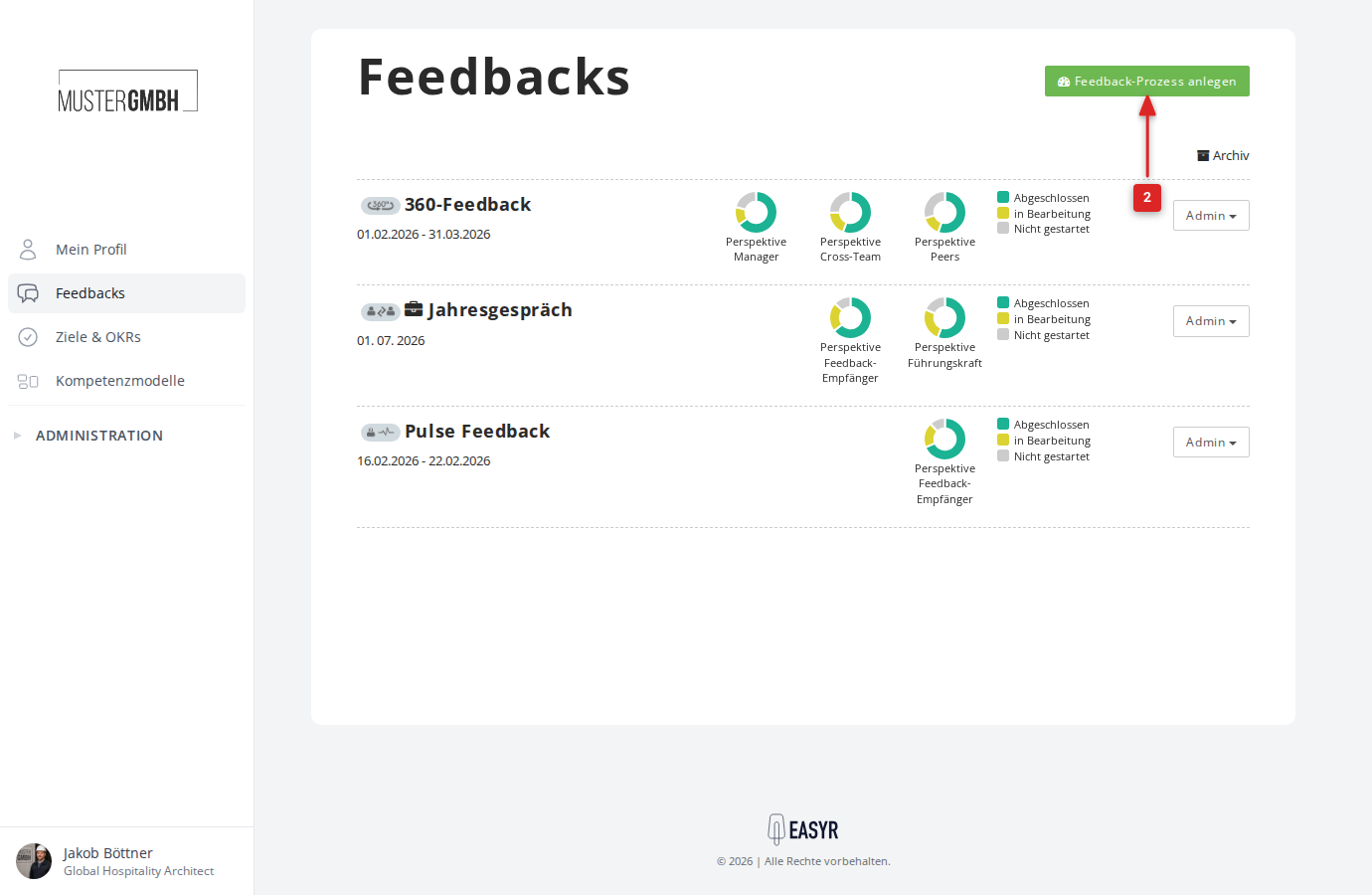
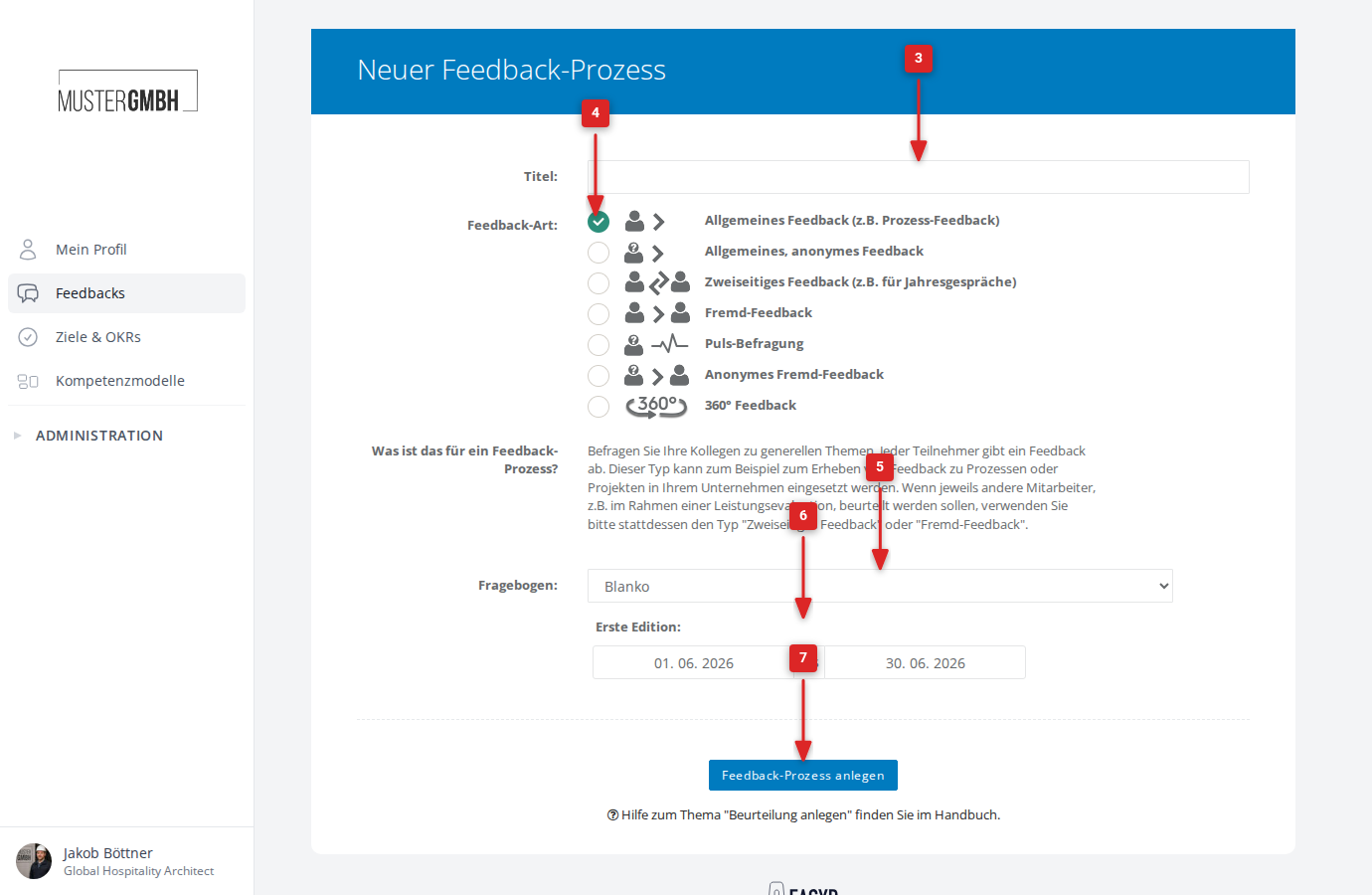
- Enter a name in the “Title:” field.
- Under “Feedback type:”, choose the type that fits (see Feedback types).
- Under “Questionnaire:”, choose a template or “Blank” for an empty questionnaire.
- Under “First edition:”, set the time period (start and end date).
- Click “Add review”.
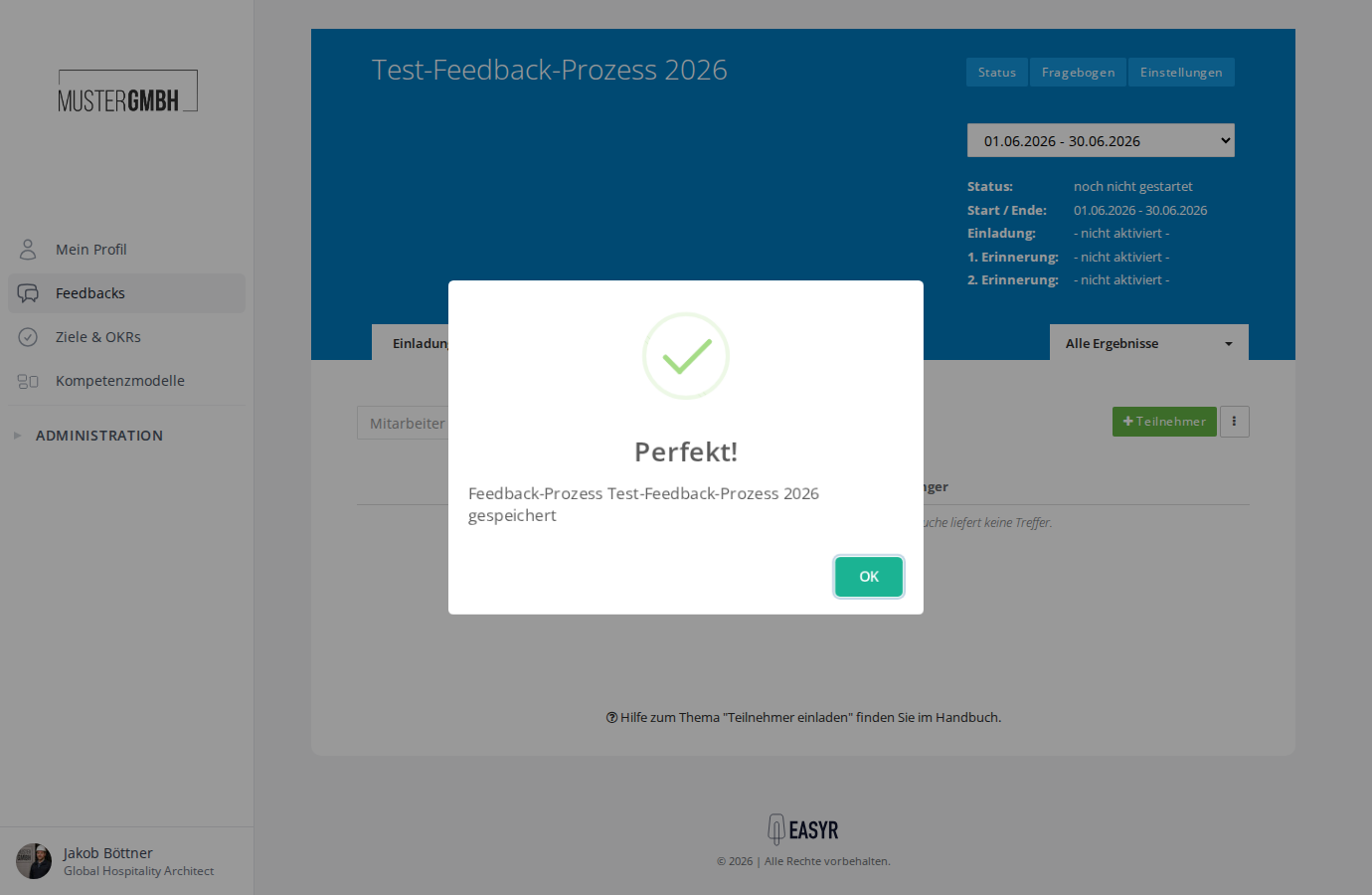
- The system confirms with “Feedback process [title] saved”. Click “OK”.
- You are now on the status page of the new feedback process.
- As a next step, we recommend editing your new questionnaire.
Feedback types
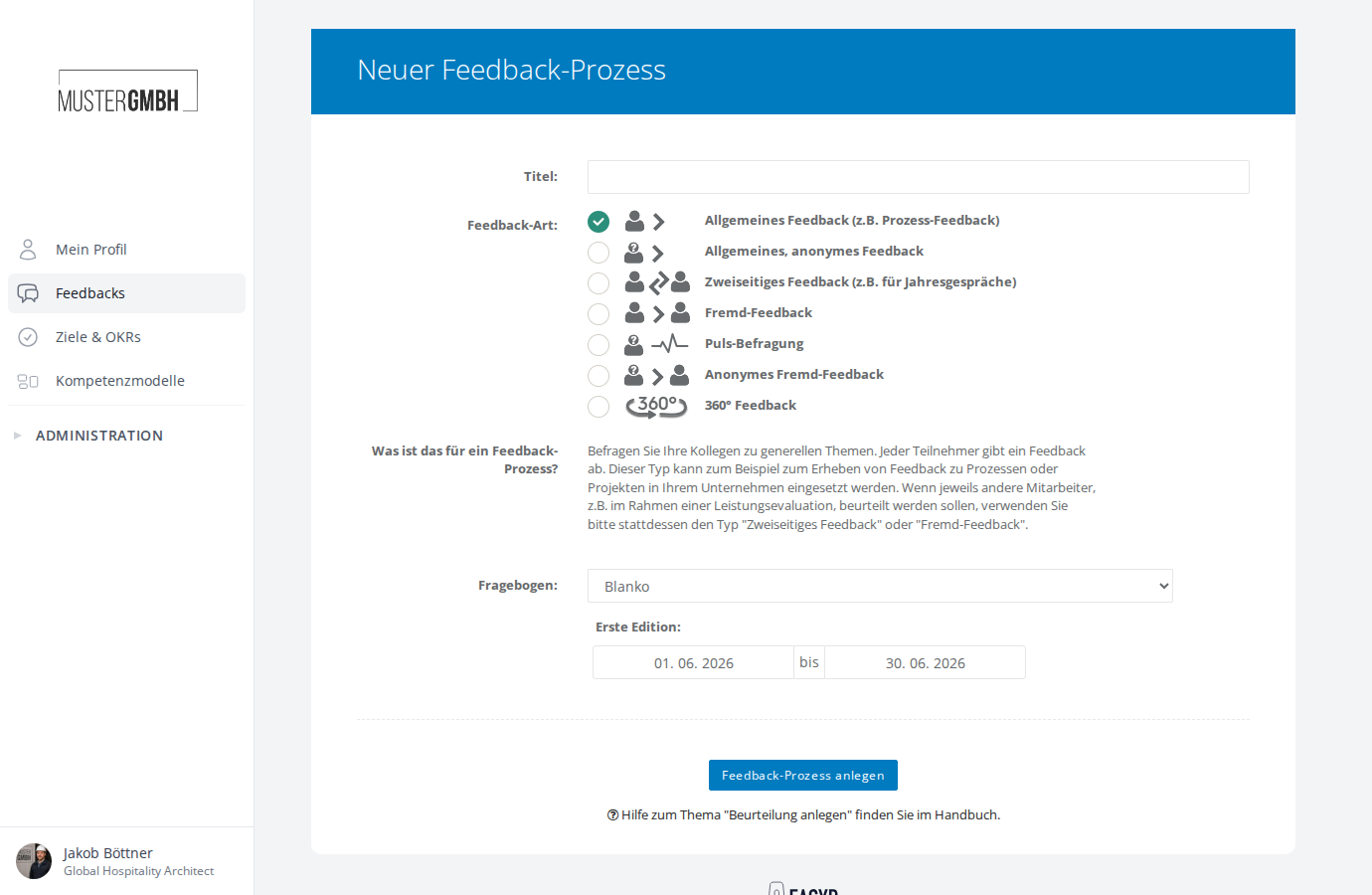
When you create a process, you choose one of the following feedback types:
| Feedback type | Description |
|---|---|
| General reviews (e.g. process reviews) | Ask colleagues about general topics. Each participant gives one assessment. Suitable, for example, for process or project feedback. |
| General anonymous reviews | Like “General reviews”, but the results cannot be assigned to any employee. By default, combined results are only shown from 5 participations onward. |
| Employee reviews (e.g. annual reviews) | Employees are each assessed by one supervisor and give a self-assessment. Suitable for annual reviews and performance evaluations. |
| Employee reviews by others | Employees are assessed by colleagues from an outside perspective, without a self-assessment. Suitable, for example, for probation reviews. |
| Pulse survey | A short, recurring anonymous survey. Editions are created automatically at a configurable interval. See Pulse surveys. |
| Anonymous employee reviews by others | Like “Employee reviews by others”, but the results are anonymized. |
| 360° feedback | Comprehensive feedback from several perspectives (e.g. supervisors, colleagues, direct reports). You can configure the perspectives when you create the process. See 360° feedback. |
Pulse surveys
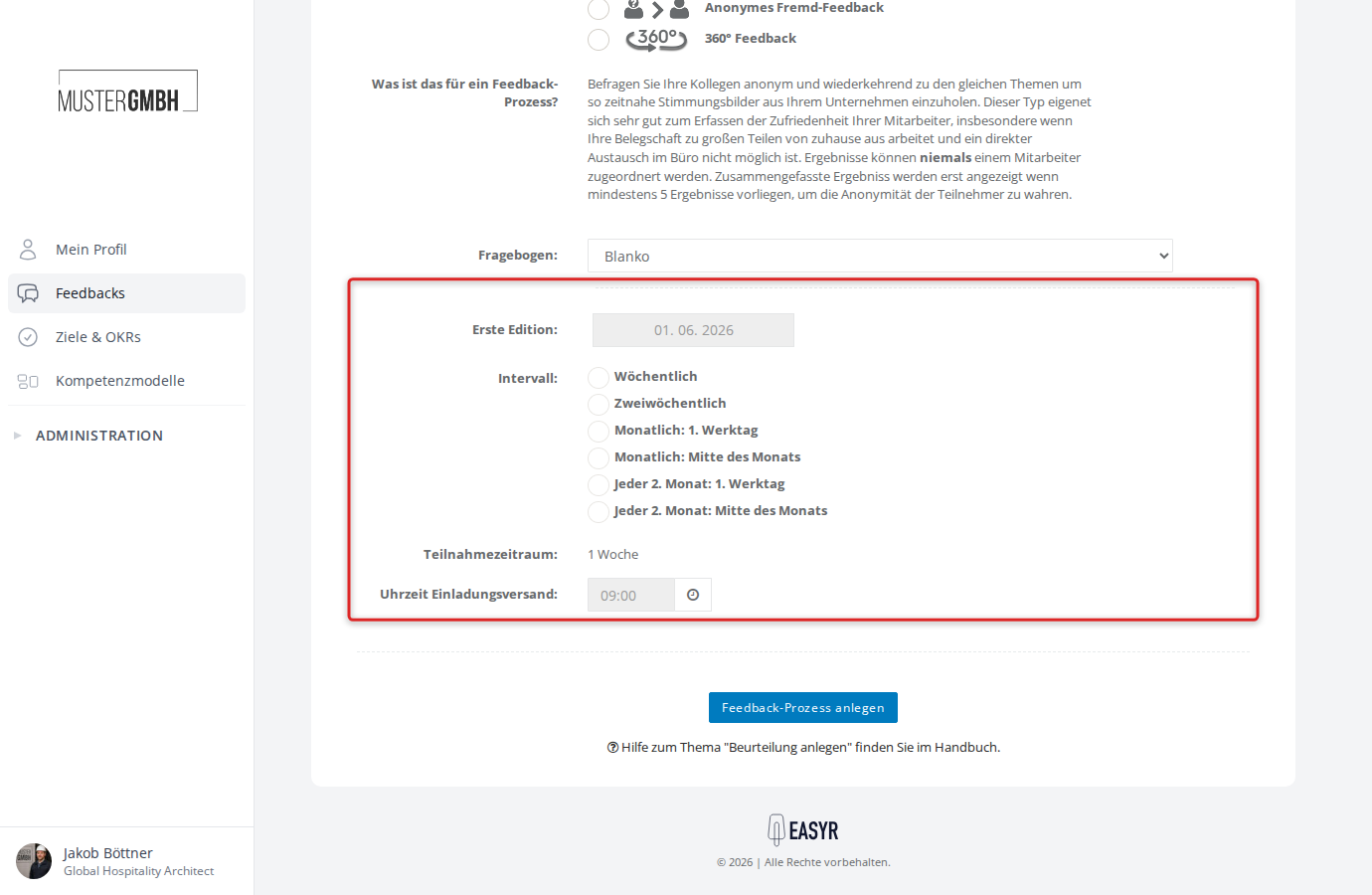
When you pick “Pulse survey” as the feedback type, the form changes. Instead of a start and end date, you see these fields:
- First edition: only a start date. The end date is calculated automatically from the chosen interval.
- Interval: choose how often a new edition is created. Options: Weekly, Every two weeks, Monthly (1st working day or mid-month), Every 2 months (1st working day or mid-month).
- Participation period: shows the duration of one edition (e.g. “1 week” for a weekly interval). This field cannot be edited.
- Invitation send time: set the time at which the automatic invitation emails go out (default: 09:00).
360° feedback
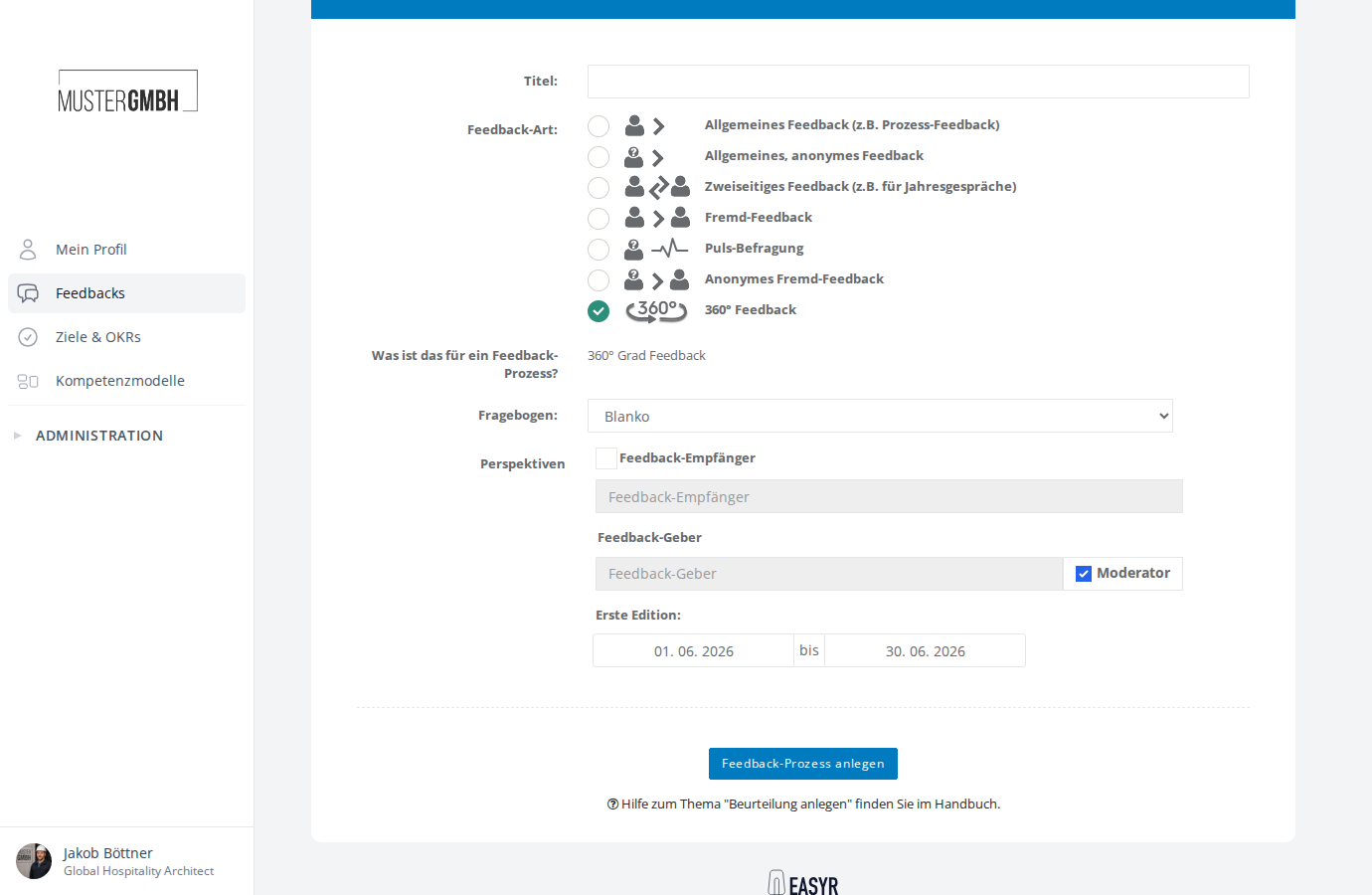
When you pick “360° feedback” as the feedback type, an extra “Perspectives” section appears in the form. There you define which angles the feedback is given from:
- Feedback recipient: the person being assessed. The checkbox lets you enable or disable the self-assessment.
- Reviewers: the people who give feedback. You can adjust the name of the perspective and use the “Moderator” checkbox to set whether this perspective gets moderation rights.
- Use the + icon to add more perspectives (e.g. “Supervisors”, “Colleagues”, “Direct reports”).
Questionnaire templates
In the “Questionnaire” field you can pick a ready-made template or create an empty questionnaire with “Blank”. Templates already contain suitable questions for particular scenarios, such as pulse surveys or annual reviews. You can edit the questionnaire at any time after creating the process.