Delete a filter
Saved filters on the status page of a review edition can be deleted at any time. After you delete a filter, the view automatically resets to “All results”.
Note: You can only delete filters that you created yourself. Filters created by other users are shown without a pencil icon and cannot be edited or deleted.
Delete a filter
-
Open the status page of the review
-
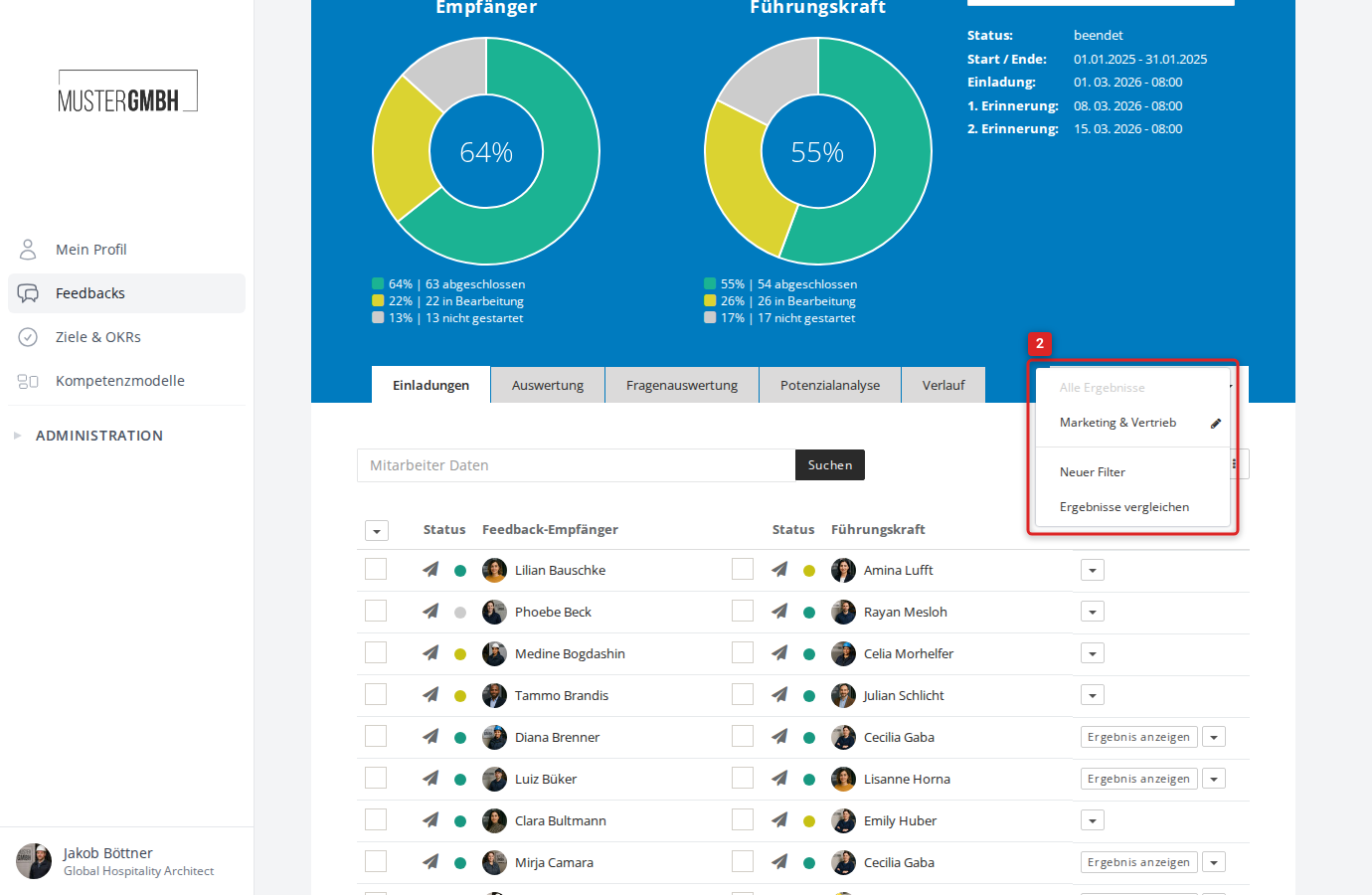
Click the All results dropdown (or the name of the active filter) to the right of the tabs
-
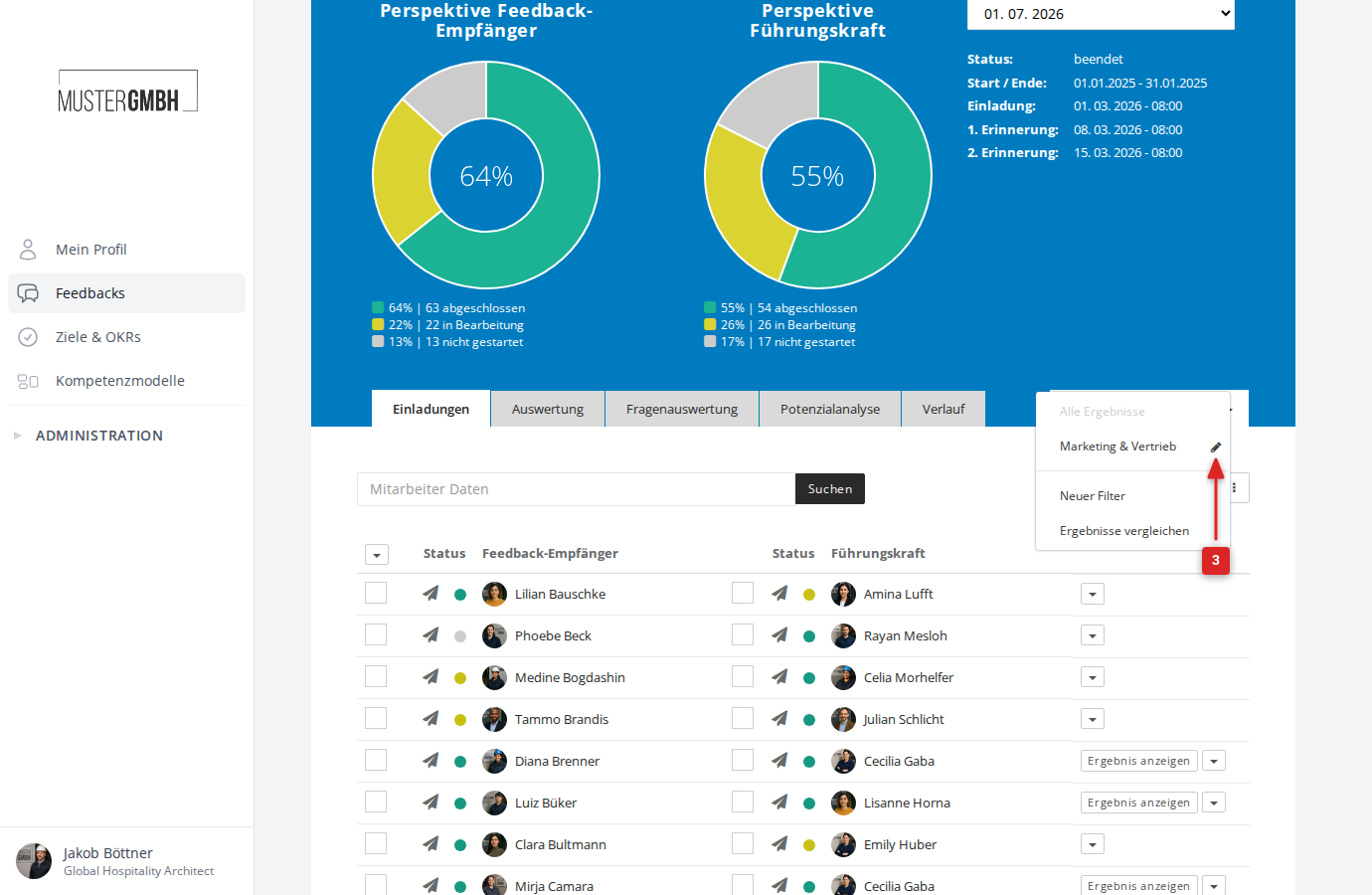
Click the pencil icon next to the filter you want to delete
-
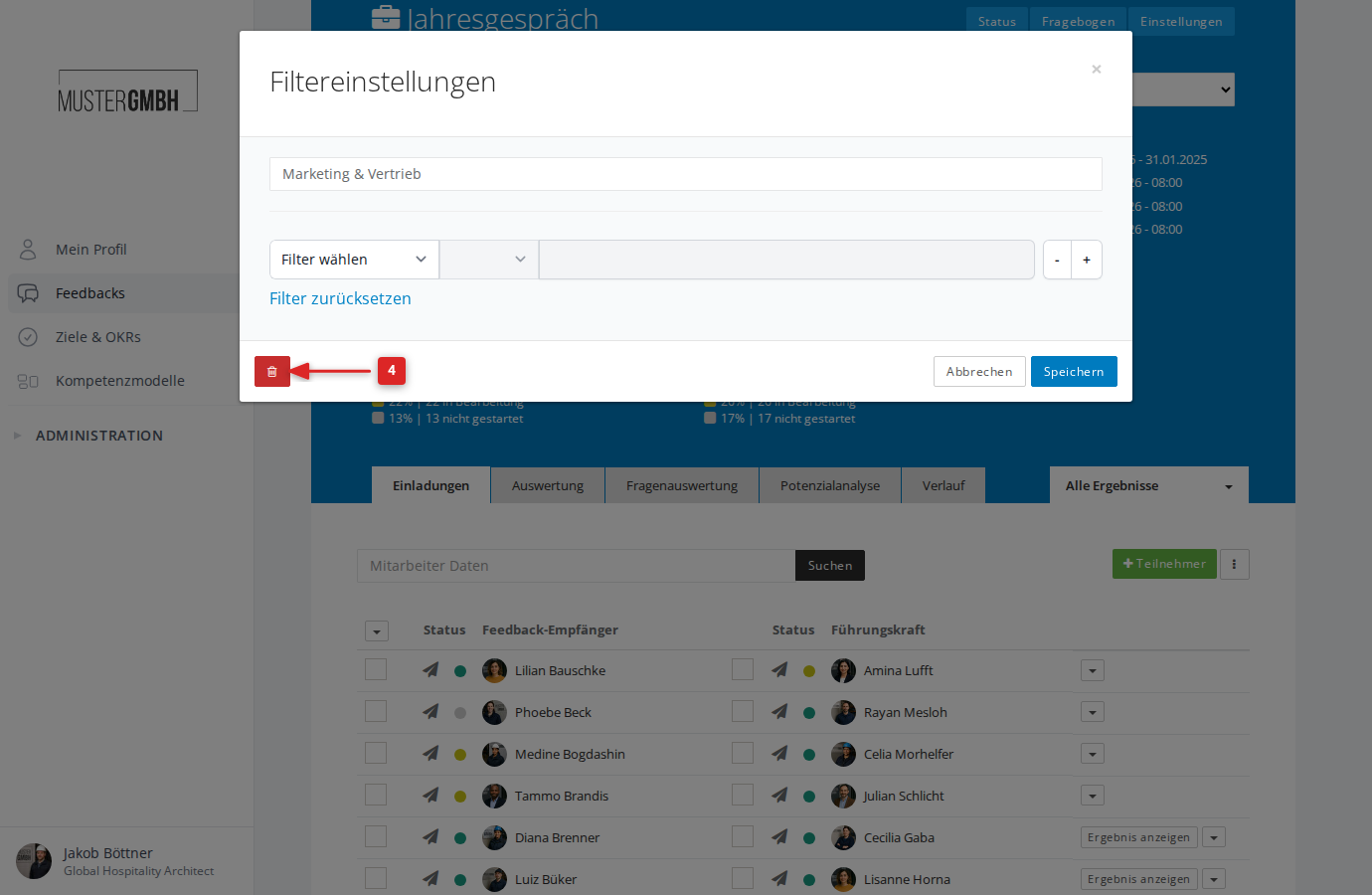
In the “Filter settings” dialog, click the red trash icon at the bottom left
-
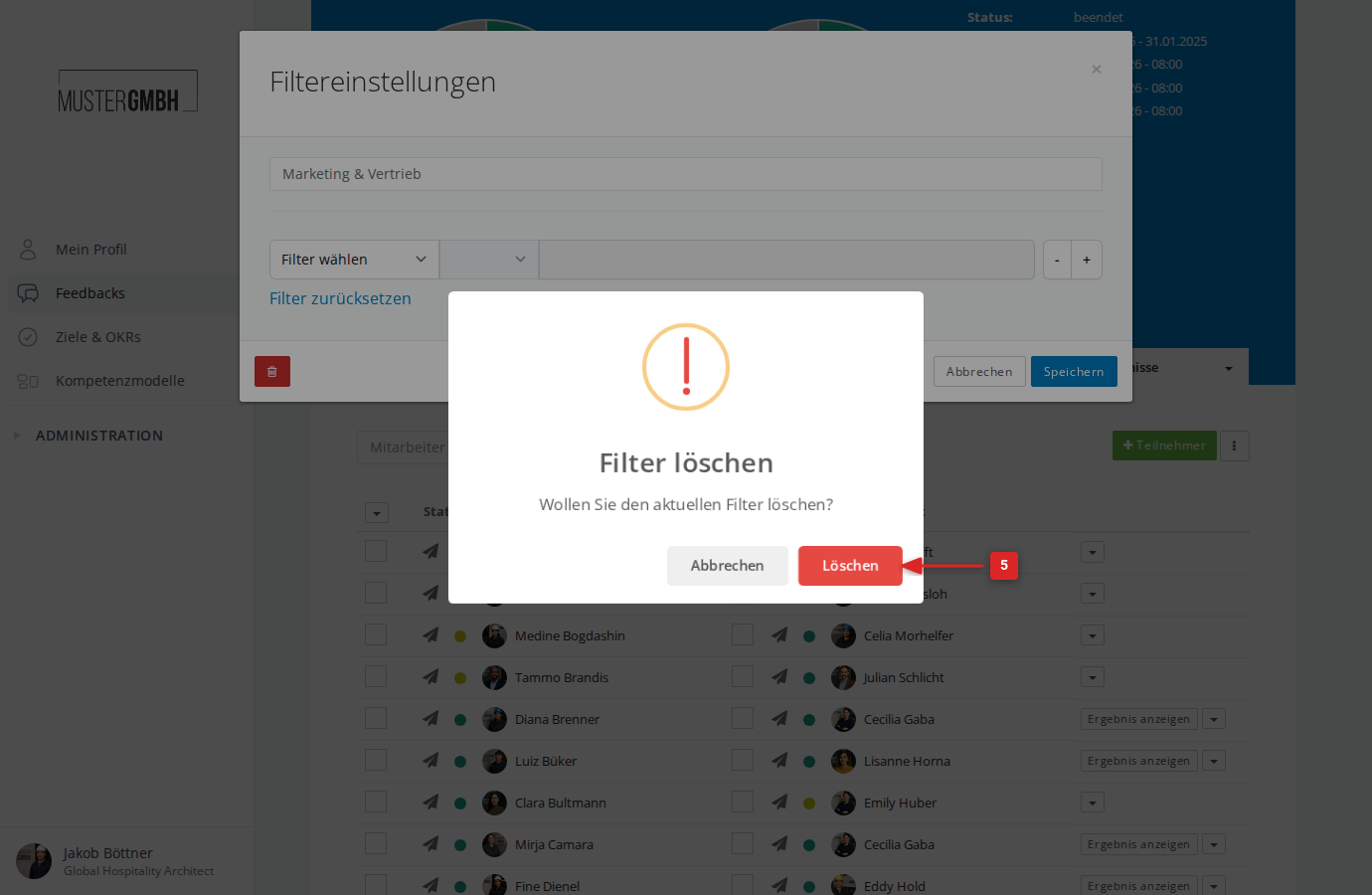
Confirm by clicking Delete
-
The page reloads. The filter is deleted and the view shows all results again.
Caution: Deleting a filter cannot be undone. If you need the filter again later, you have to recreate it.