Download participation PINs
Participation PINs let employees without an email address take part in feedbacks. Each participation has two four-digit PINs (PIN 1 and PIN 2) that together form a unique identifier.
You can download the PINs of all participants in a review edition in one go, then hand them out to your employees. Two formats are available:
- As an Excel list (XLS): all PINs and participation data in a table. Good for your own mail merges or for further electronic processing.
- As a mail merge (PDF): one A4 page per participant with all the relevant details. Ready to print and hand out by post or internal mail.
Each format comes in two variants:
- For all participants: downloads every participant’s PINs.
- For employees without email only: downloads PINs only for participants who have no email address on file. Employees with an email address are invited by email invitation and don’t need PINs.
Download PINs as an Excel list (XLS)
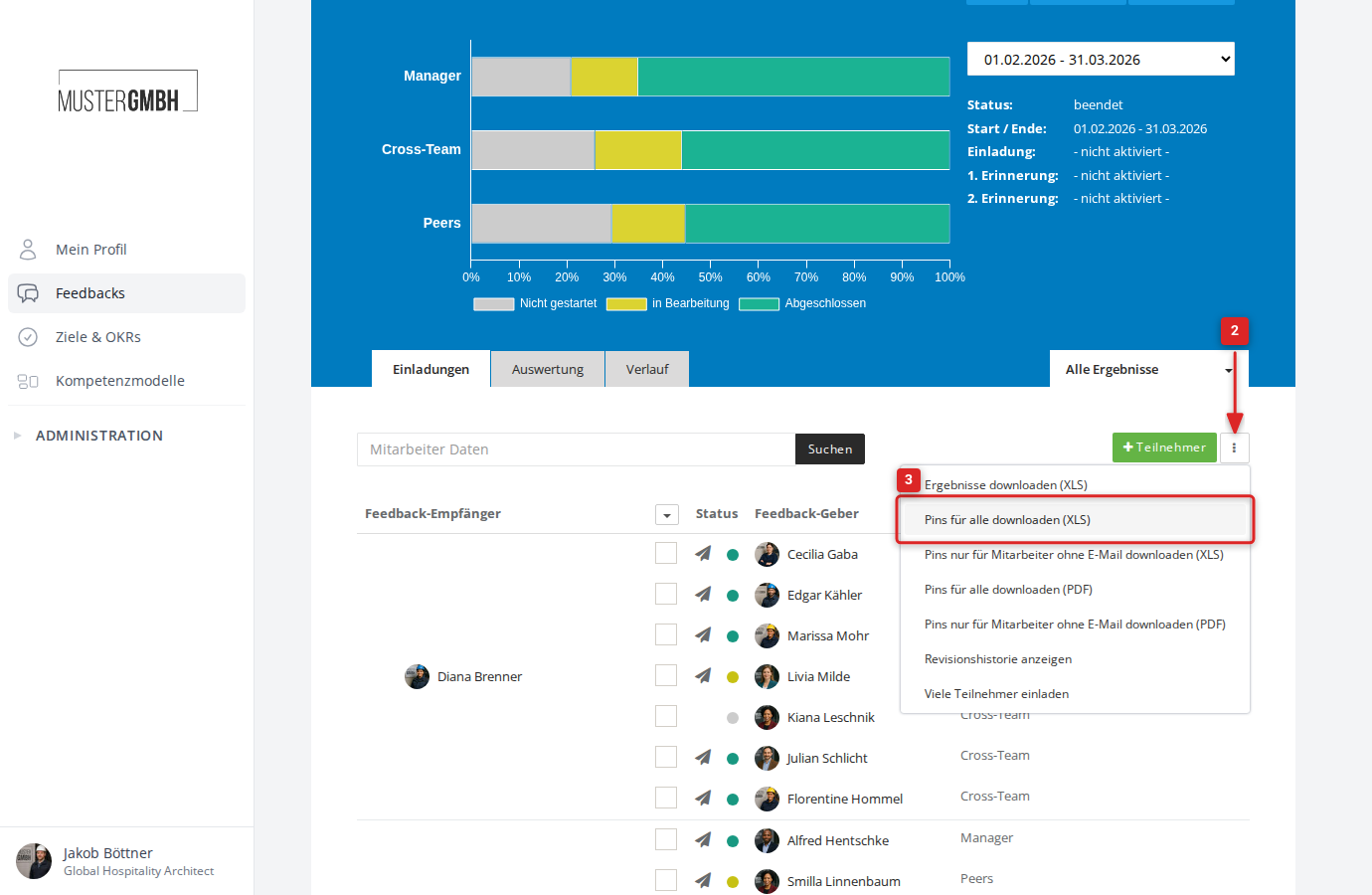
The Excel file has one row per participation with these columns: staff number, salutation, first name, last name, name of the feedback recipient, sign-in URL, PIN 1 and PIN 2. Use the data for your own mail merges or to distribute the PINs electronically.
- Open the participant list of the review edition.
- Click the three-dot menu to the right of the ”+ Participant” button.
- Click “Download pins for all (XLS)” or “Download pins for employees without email (XLS)”.
- The download starts automatically.
Download PINs as a mail merge (PDF)
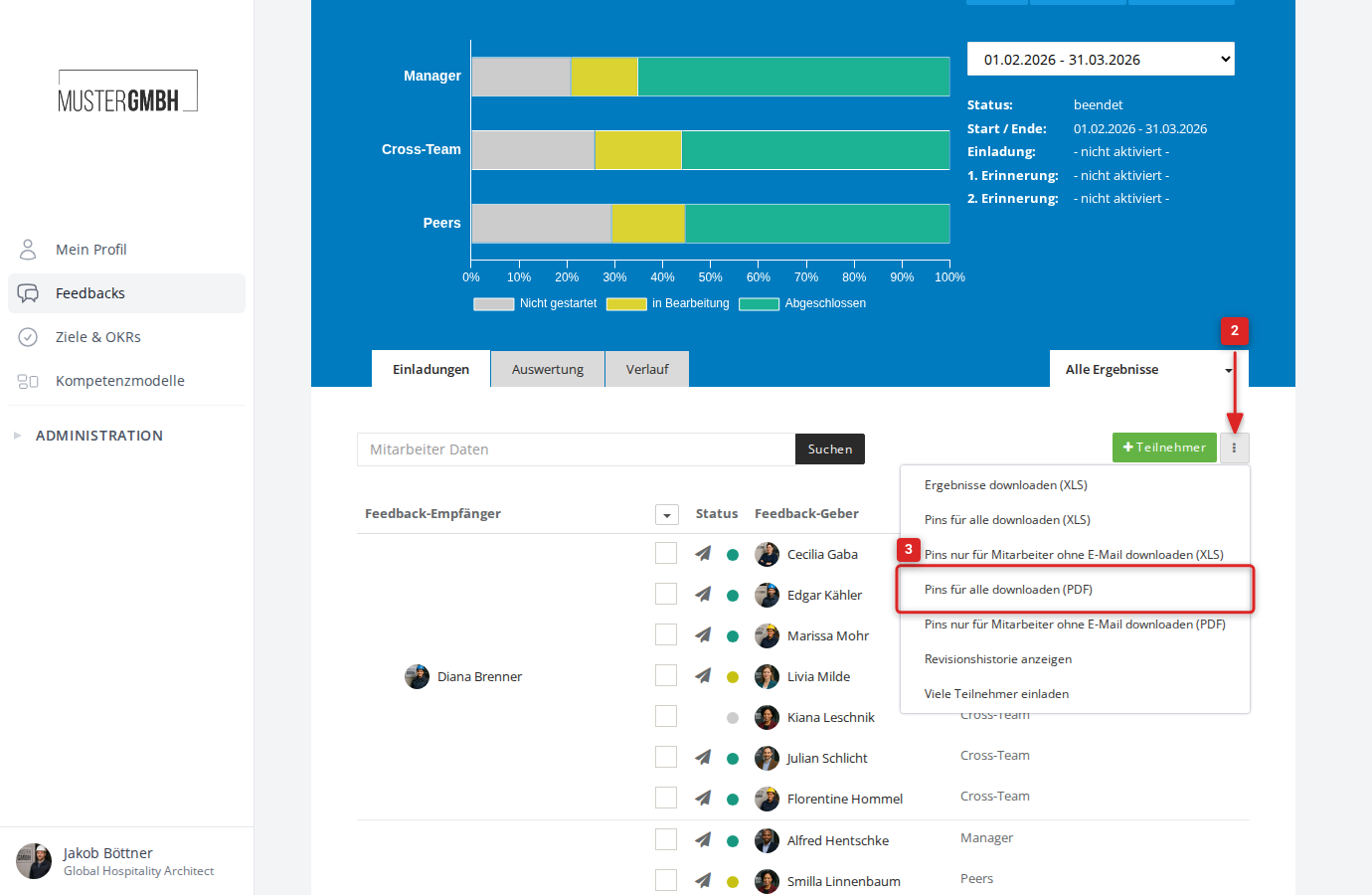
The mail merge produces one A4 page per participant with everything they need: name, sign-in URL, PIN 1, PIN 2 and the submission date. Print the pages and hand them out directly.
- Open the participant list of the review edition.
- Click the three-dot menu to the right of the ”+ Participant” button.
- Click “Download pins for all (PDF)” or “Download pins for employees without email (PDF)”.
- The download starts automatically.
Prerequisites
Participation PINs are only available when the PIN feature is enabled for your company and for the specific feedback. If the PIN options don’t appear in the three-dot menu, contact your easyreview representative.