Notifications for feedbacks
For a feedback process, easyreview handles the whole email conversation for you: it invites the feedback givers, chases anyone who hasn’t responded, and can let you know when things are complete. You don’t have to set any of this up. This article shows which emails go out and when, and where to review and adjust them before your process starts.
How emails accompany a feedback process
- At the start: every feedback giver receives an invitation with their personal participation link as soon as invitations are sent. For the concept, see What are email invitations?
- While participations are open: easyreview automatically reminds people after 7 and after 14 days. Anyone who has completed their participation is no longer reminded. Details and how to adjust: Set up reminders for feedbacks
- During sealing: if your process uses sealing, the members of the sealing committee receive a confirmation request. Optionally, you can also have people notified once sealing is complete.
- On completion: if you want, easyreview sends emails when individual feedbacks or whole participation groups are complete — for example to the supervisor or to HR. These completion emails are off by default and only send once you add a rule for them. Feedback recipients don’t receive the “Feedback completed” email for a participation of a perspective with a quorum, so they don’t learn who from that perspective has just completed.
- After a nightly invitation rule: if a saved invitation rule invites new employees into an edition overnight, easyreview can send HR a summary listing everyone who was newly invited. This email only appears for processes that have such a rule, and it is off by default.
If you switch nominations on for a feedback process, the Notification Center gains a “Nominations” group with its own rules. They accompany the proposing, reviewing, accepting and approving of the feedback providers, everything that happens before the invitation. The nine emails of that group and their recipients are listed in Notifications for nominations.
Where you set all of this
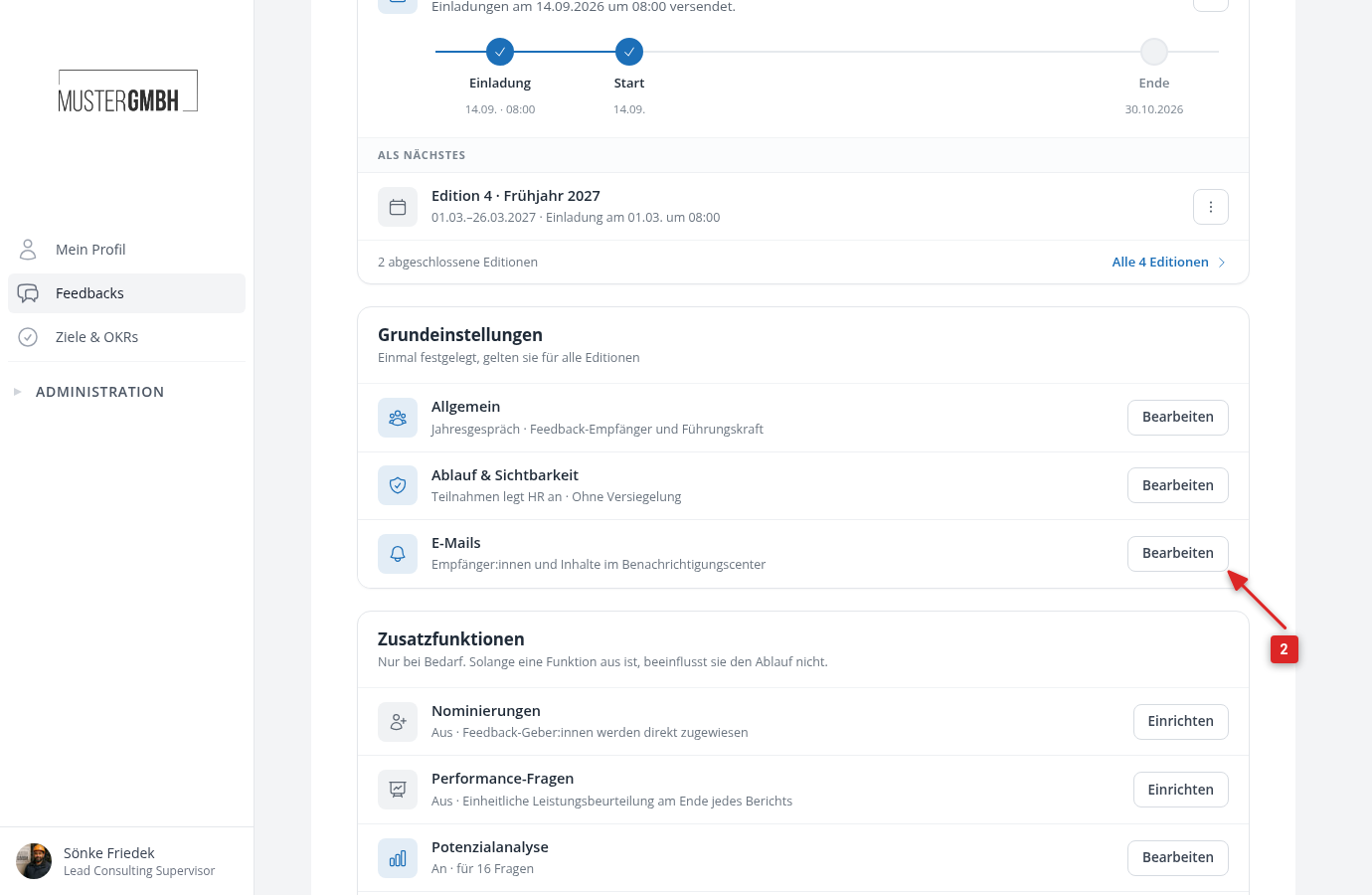
In the Notification Center of the feedback process:
- Open the settings of the feedback process.
- In the “Basic settings” card, click “Edit” in the “E-mails” row.
The Center shows every email of the feedback process, grouped by occasion:
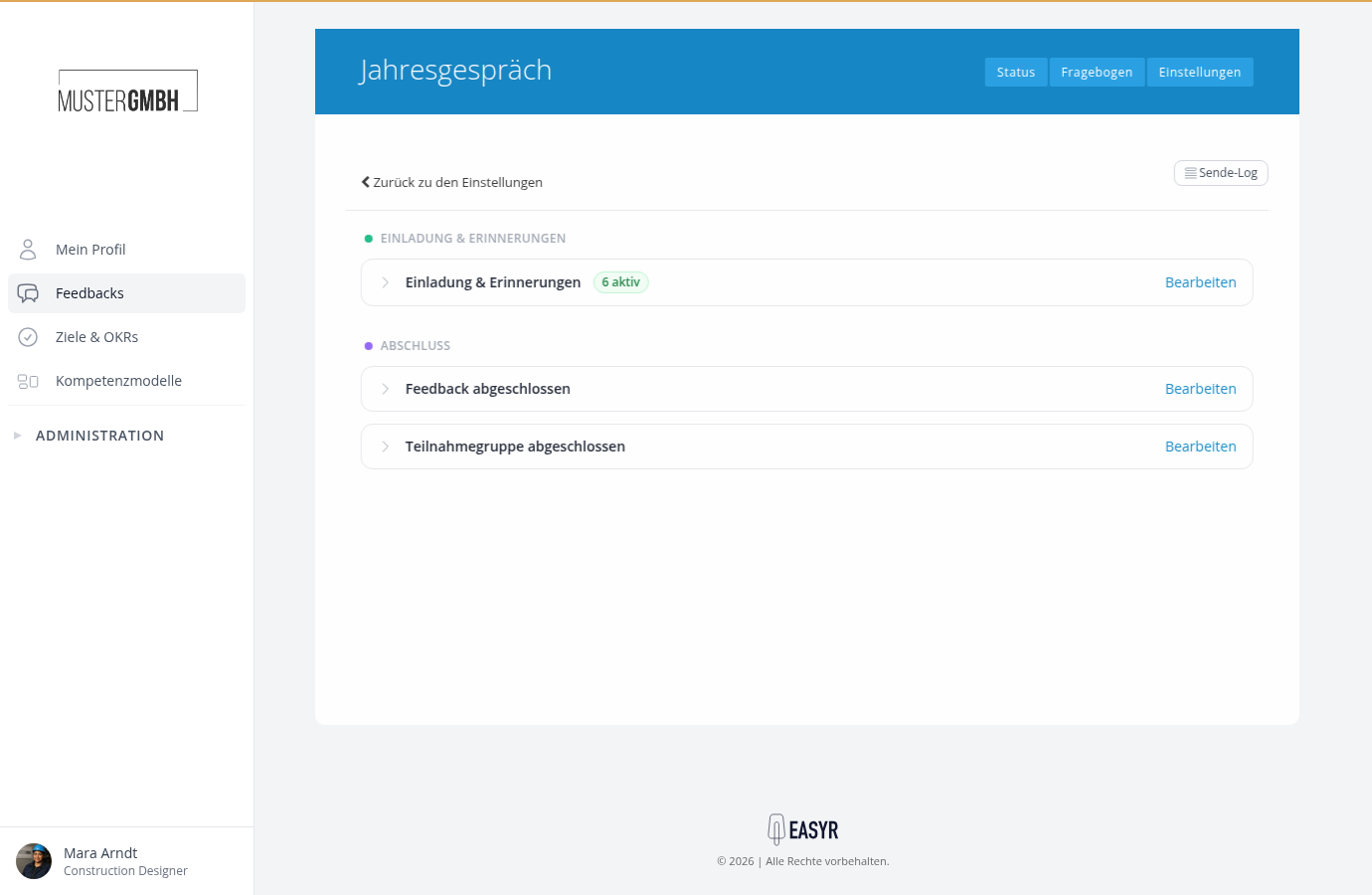
Here you adjust each email’s subject and text, its recipients and its timing, turn individual emails off, or add your own. The how-tos:
Separate emails per perspective
Self-assessment and external assessment get their own invitation and reminder texts and can be reminded on different schedules. That’s because a feedback process’s rules apply per perspective; the default rules are already split this way (e.g. “Invitation (self-assessment)” and “Invitation (external assessment)”). The PERSPECTIVES chips in a rule’s row show which perspectives it covers.