Who receives a notification? (concept)
Most of the time an email should go to the person it concerns: the feedback provider gets their invitation, the target agreement recipient gets their reminder. Sometimes it should go elsewhere, though, such as to that person’s supervisor or always to a fixed contact in HR.
This article explains the concept easyreview uses to determine the recipient of every email. It has two building blocks: the function (whom is this about?) and the assignment (who therefore receives the email?). If you just want to change a recipient quickly, the step-by-step guide in Set recipients is enough.
Function: whom is this about?
The function is the role the rule targets. It is resolved individually for each recipient. Which functions you can choose from depends on the notification type. Examples:
- For feedback invitations: the feedback provider or the feedback recipient
- For target agreements: the target agreement recipient, the target agreement creator or the target agreement subscribers
- For account invitations: the invited user
- For the automatic invitations summary: the HR admins
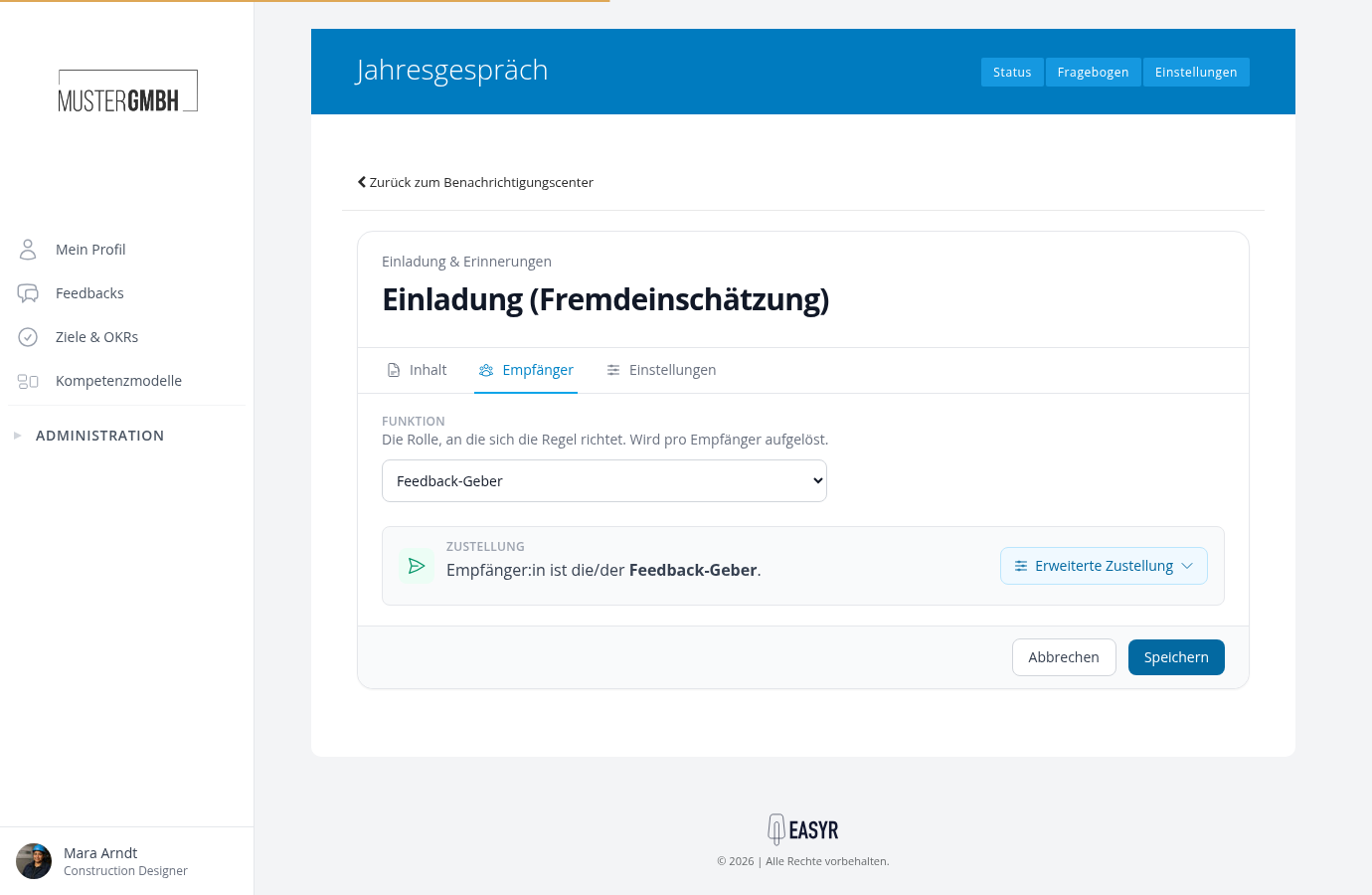
Under Delivery, a sentence always sums up who actually receives the notification, for example “Recipient is the feedback provider.”
Assignment: who therefore receives the email?
By default the notification goes straight to the chosen function. Use “Advanced delivery” to change the assignment. It determines who the email is actually delivered to, starting from the function:
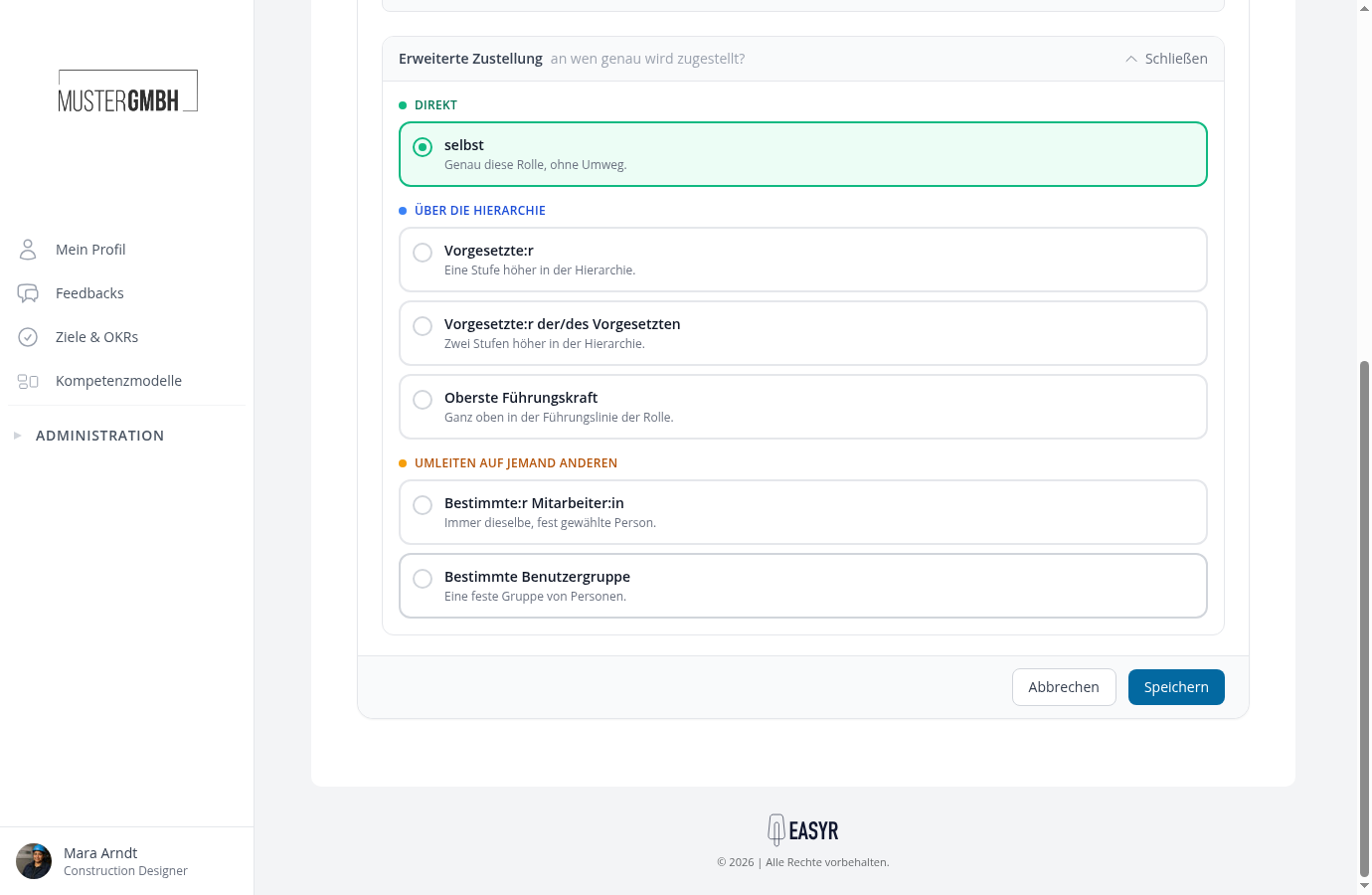
Direct
- itself: exactly this role, without a detour. The feedback provider gets their invitation themselves.
Via the hierarchy
The email does not go to the function itself, but to a person in its management line:
- Supervisor: one level up in the hierarchy.
- Supervisor’s Supervisor: two levels up in the hierarchy.
- Top-level Supervisor: at the very top of the role’s management line.
This is how you inform, for example, the supervisor when a team member has completed a feedback.
Redirect to someone else
The email always goes to a fixed target, independent of the function:
- Specific Employee: always the same, fixed person, e.g. an HR contact.
- Specific User Group: all active members of a fixed user group.
- Custom Field: the person from a master-data field of the person concerned, e.g. a recorded mentor.
For a redirect you additionally choose the concrete target (the person, the group or the field).
One recipient path per rule
A rule describes exactly one recipient path. If several people should be informed in different ways (e.g. the feedback provider themselves and, in addition, their supervisor), create a separate rule for each. Create and edit a notification rule shows you how.