Which notifications does easyreview send?
This article lists every email easyreview sends automatically: what triggers it and who receives it by default. That way you know exactly what mail your employees get from easyreview.
You can adjust or switch off each of these emails in the Notification Center. A few types deliberately send nothing until you create a rule for them. They are marked below with “only after you create a rule”.
Around feedbacks
You manage these emails in the Notification Center of the respective feedback process:
| Sent when | Default recipient | |
|---|---|---|
| Invitation & reminders | a feedback provider is invited to a feedback. While the participation is still open, reminders follow after 7 and 14 days. | the feedback providers themselves |
| Confirm sealing | a sealing is started and needs to be confirmed. | the members of the sealing committee |
| Sealing completed | a sealing has been fully confirmed. | nobody (only after you create a rule) |
| Feedback completed | a single feedback is completed. | nobody (only after you create a rule) |
| Participation group completed | all feedbacks of a participation group are completed. | nobody (only after you create a rule) |
| Automatic invitations summary | a nightly invitation rule has invited new participants into an edition. The email summarizes the whole nightly run instead of reporting each participation. | nobody (the rule for HR admins exists, but is switched off) |
| Nominations | nominations are switched on for a feedback and a list reaches a step: propose, review, accept, approve, find a replacement. Nine emails sit behind this. | the role the nomination path assigns to that step |
Around target agreements
You manage these emails in the Notification Center of the respective target agreement process:
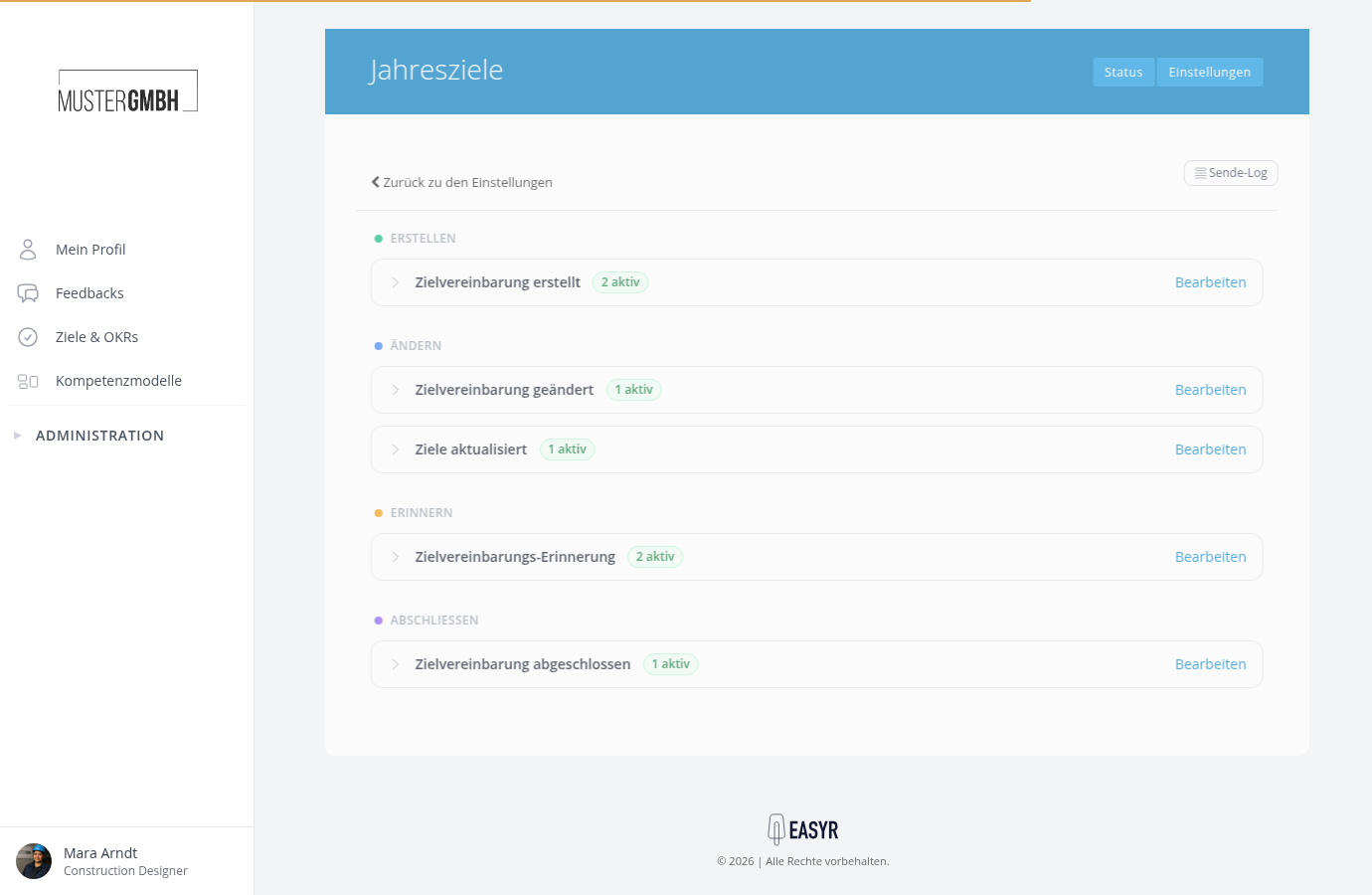
| Sent when | Default recipient | |
|---|---|---|
| Target agreement created | a new target agreement is created. | the recipient of the target agreement and their supervisor |
| Target agreement changed | a target agreement is edited, e.g. its title, description or goals. | the subscribers of the target agreement |
| Goals updated | goals are marked as done or their progress is updated. | the subscribers of the target agreement |
| Target agreement completed | a target agreement is fully completed. | the subscribers of the target agreement |
| Target agreement reminder | a target agreement or a goal is due soon. | the recipient and the creator of the target agreement, 7 days before the deadline in each case |
Company-wide
You manage these emails in the company-wide Notification Center (reached through the employee list, see Getting started with notifications):
| Sent when | Default recipient | |
|---|---|---|
| Account invitation | a new user is invited to activate their account and set a password. | the invited person |
| New message | a 1:1 feedback message (praise, criticism, improvement idea) is sent. | the recipient of the message |
More recipients, different timings, your own emails
Several rules can sit behind a single email. For example, “Invitation & reminders” consists by default of one invitation and two reminders, kept separate for self-assessment and external assessment. You can add your own rules, such as a third reminder or a copy to the supervisor. Create and edit a notification rule shows you how.