Check whether an email was sent (Delivery Log)
An employee says they never got an invitation? You want to be sure the reminders really went out? The Delivery Log answers exactly that: it records every notification with its time, recipient, and status.
Open the Delivery Log
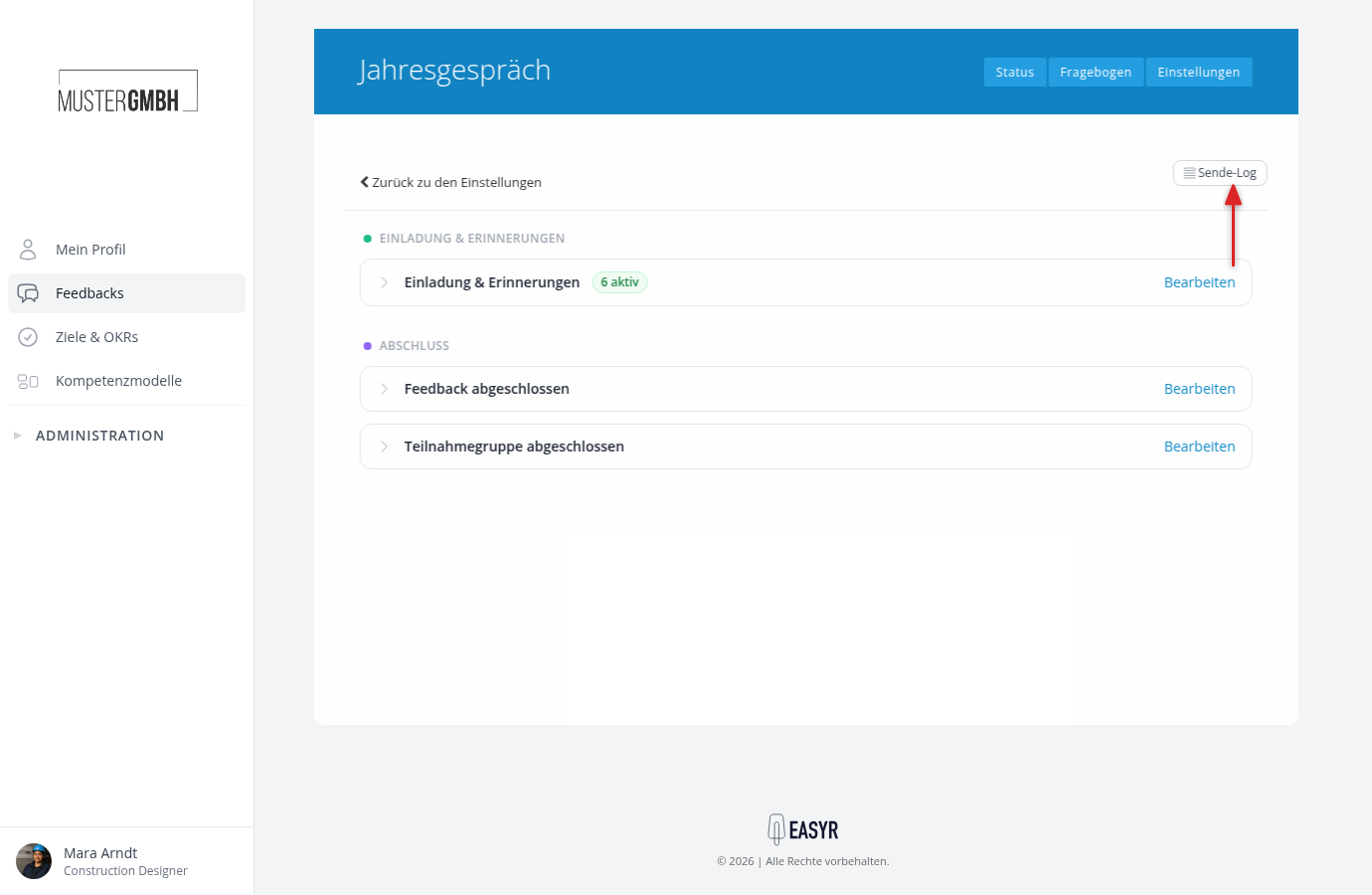
In the Notification Center, click Delivery Log at the top right. The log shows the notifications for the area you’re currently in: those of a feedback process, those of a target agreement process, or the company-wide ones.
Read the entries
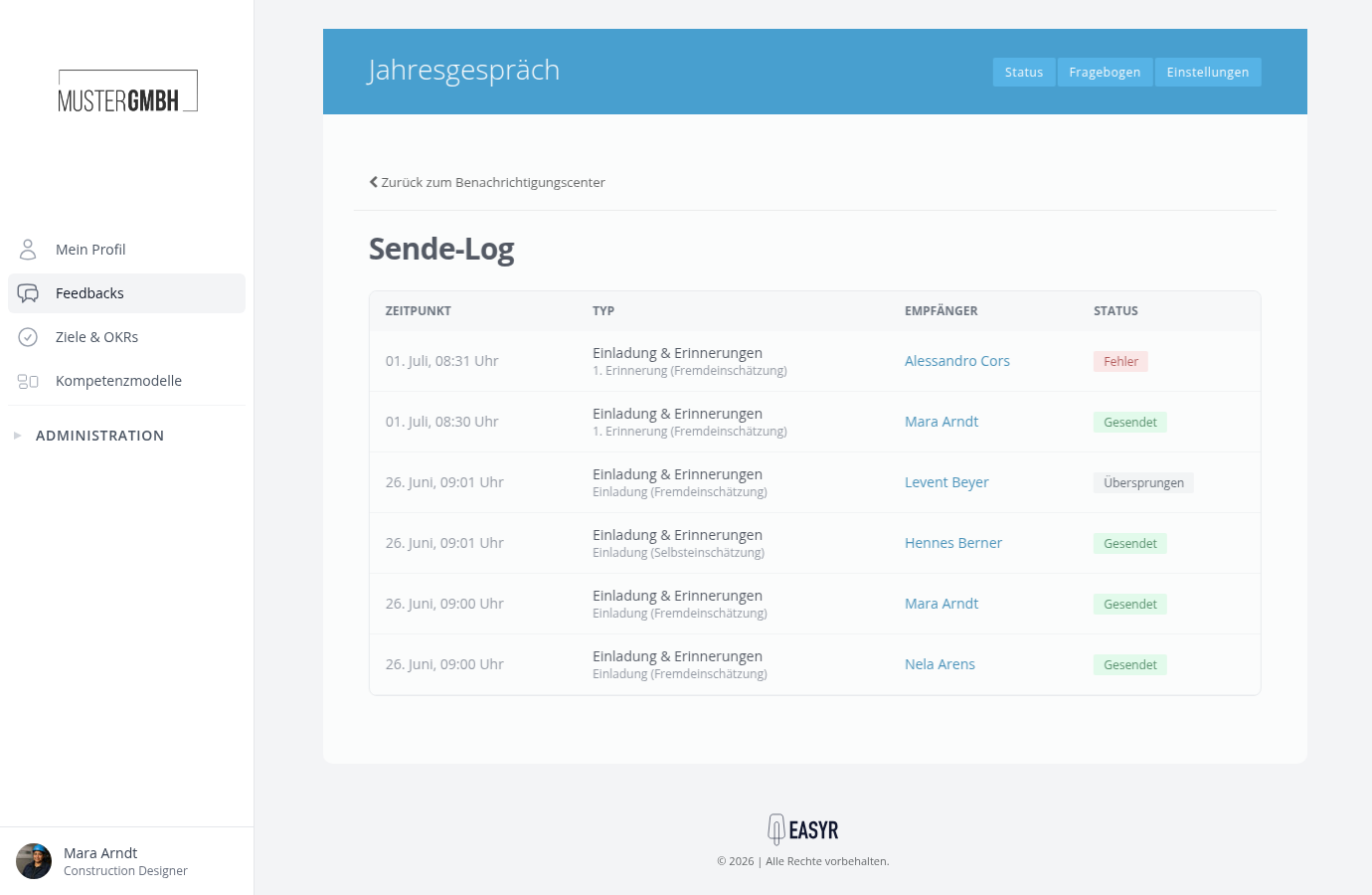
Each entry shows four details:
- Time: when the notification was processed.
- Type: the notification type and, below it, the name of the rule, for example “Invitation & reminders” with the rule “1st reminder (external assessment)”.
- Recipient: who received the email, linked to their employee profile.
- Status: the result of the delivery.
The list is sorted by time, newest first. When there are many entries, it’s shown page by page.
The status values and what to do about them
| Status | Meaning | What you can do |
|---|---|---|
| Sent | The email was sent successfully. | If it still didn’t arrive, ask the recipient to check their spam folder. |
| In delivery | Sending is in progress or still pending. | Wait a moment and reload the page. |
| Collecting | The notification is waiting in the time window of a rule with “Send as digest” for further notifications to the same person. | Nothing. Once the window closes, one combined email goes out, after which the collected entries read “Sent”. |
| Bundled | The time window has closed and the combined email is going out right now. The entry travels in it. | Nothing. Once the email is out, the entry reads “Sent”. |
| Error | Delivery failed. | Check the email address in the recipient’s profile. |
| Skipped | The email was deliberately not sent, for example because the recipient has no email address or the participation was already completed. | Usually there’s nothing to do. For employees without an email address, feedbacks offer participation PINs. |
When there’s no entry at all
If there’s no entry for the email you expected, it was never triggered. Check in the Notification Center:
- Is the responsible rule enabled (the checkbox in the rule row)?
- Does the rule cover the recipient? Watch for warnings on the rule and, for feedback rules, the selected perspectives.
- For feedback invitations: was sending even started? Invitations only go out once the edition’s invitation sending has run or you have invited people manually.