Delete a 1:1 feedback
You can delete 1:1 feedbacks one at a time or several at once.
Delete a single 1:1 feedback
- In the sidebar, click Profile.
- Open the Feedbacks tab.
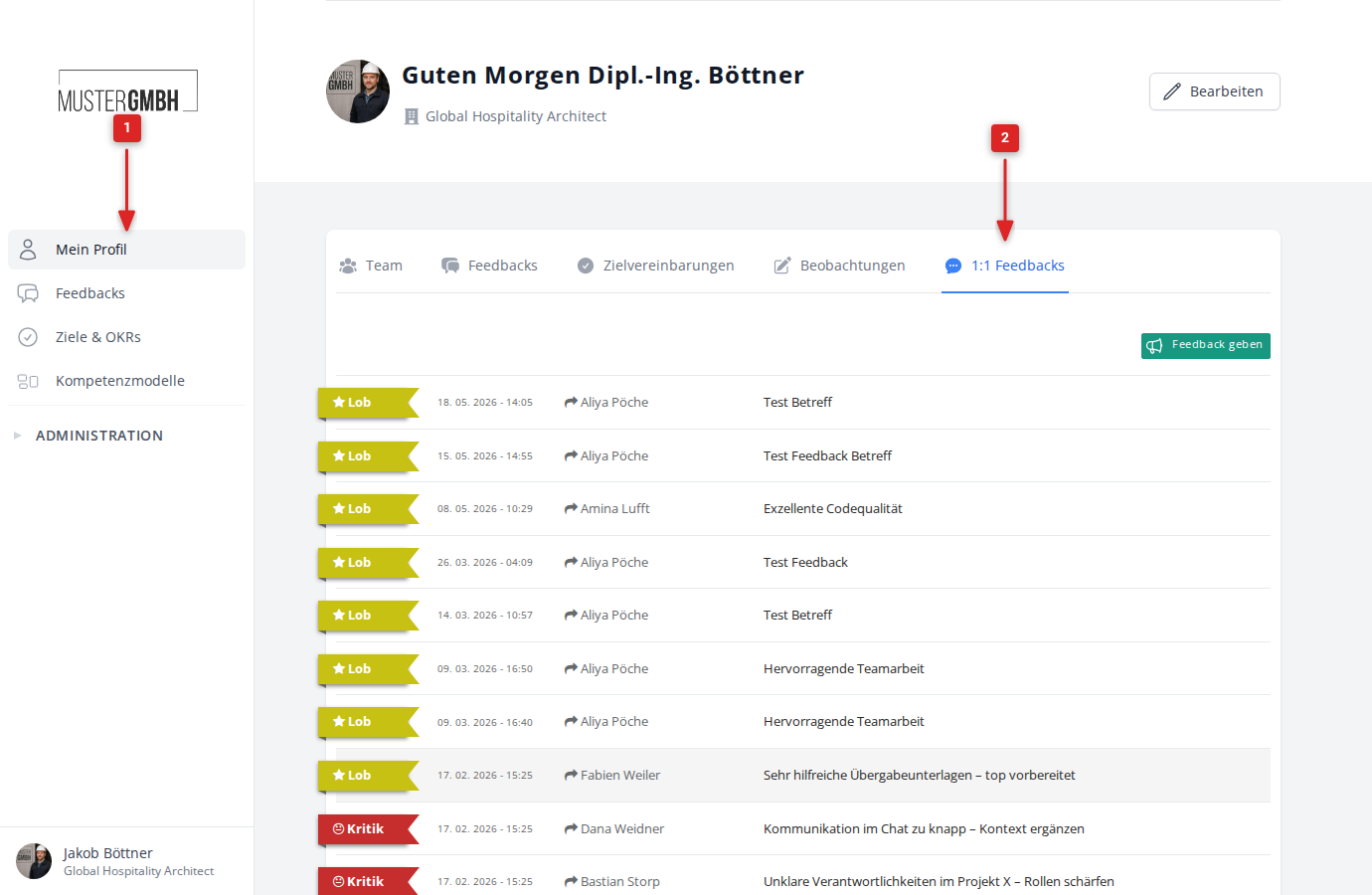
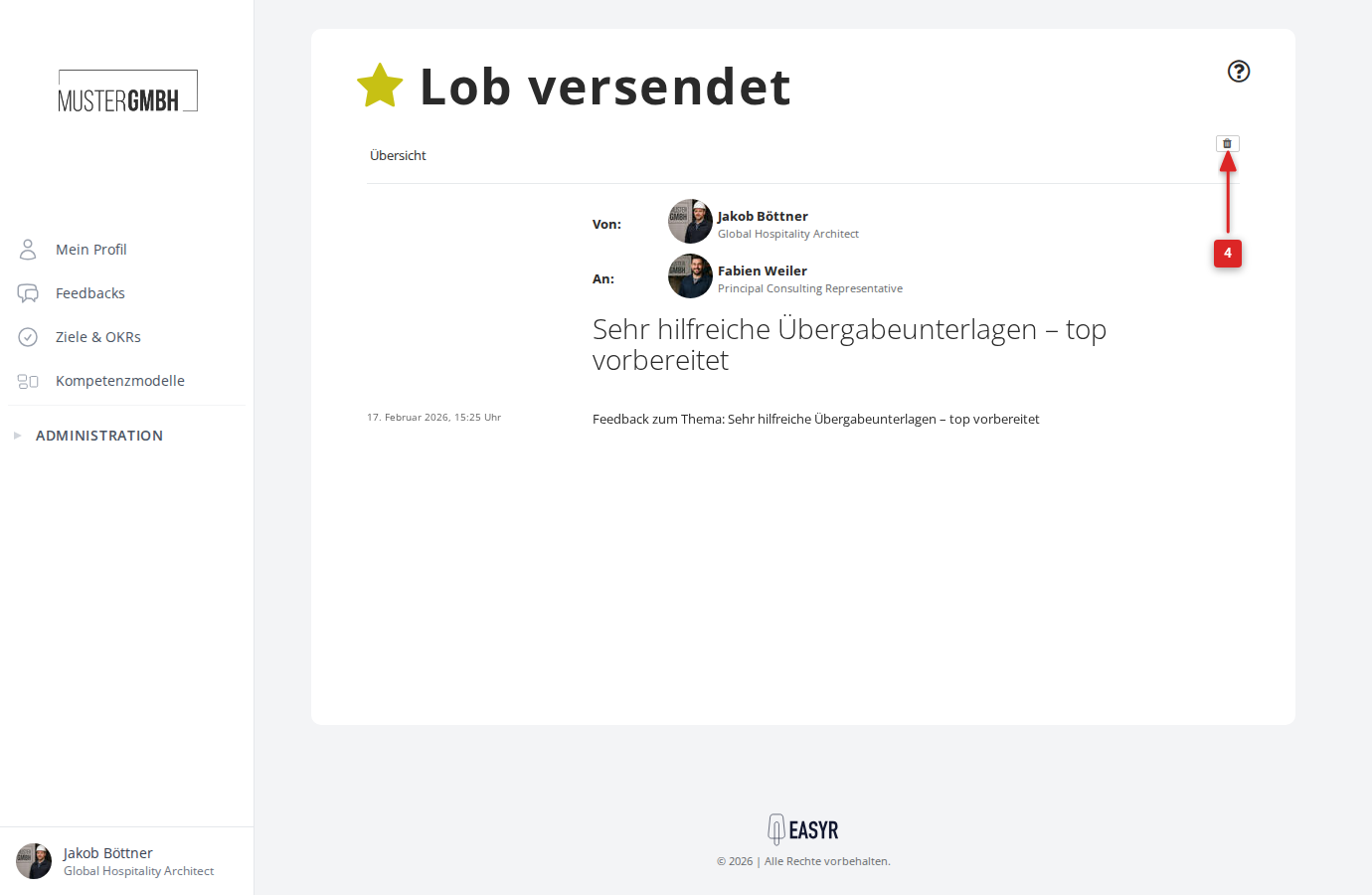
- Click the feedback you want to open it.
- Click the trash-can icon at the top right.
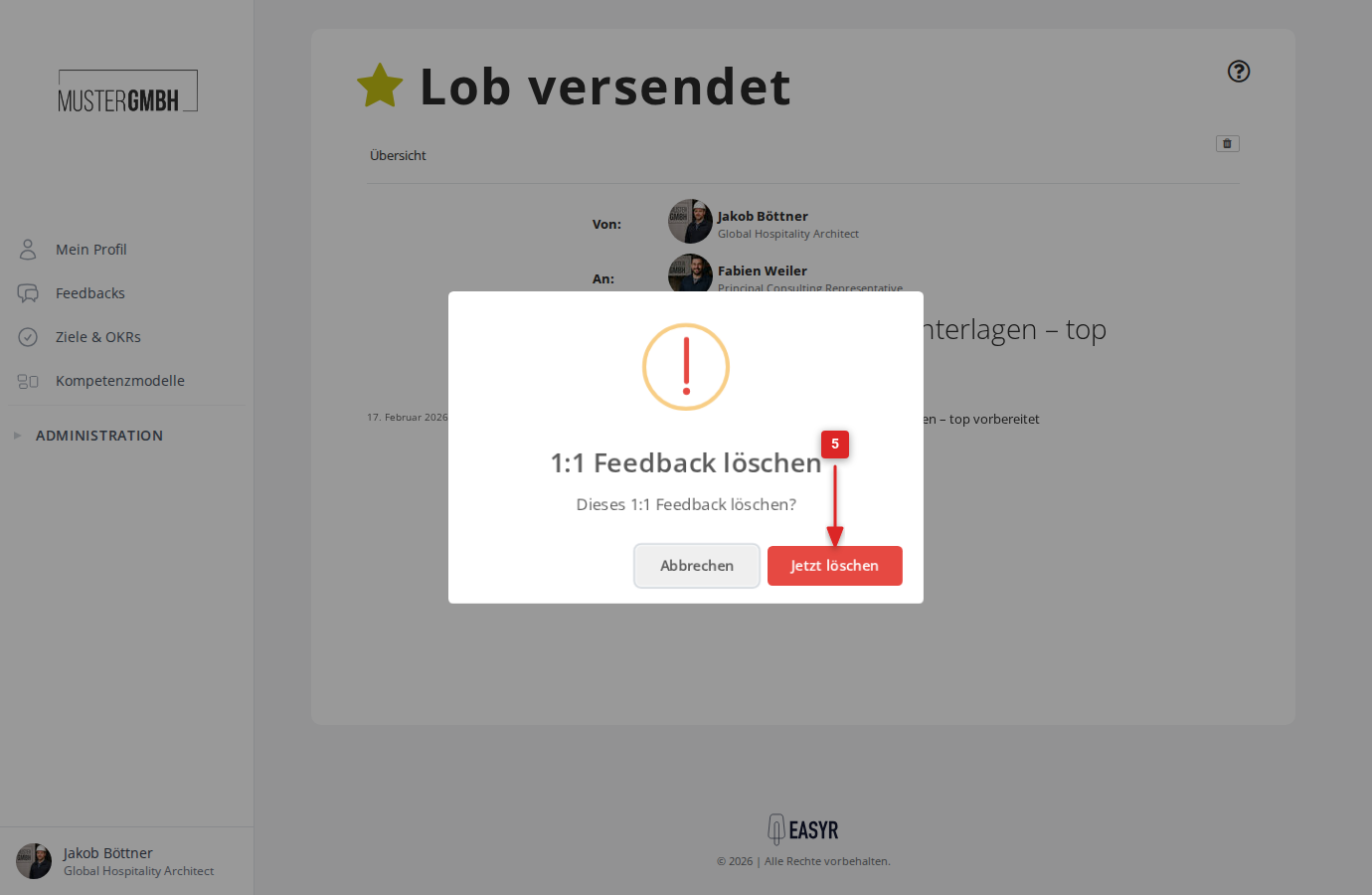
- Confirm with Delete now.
Delete several 1:1 feedbacks at once
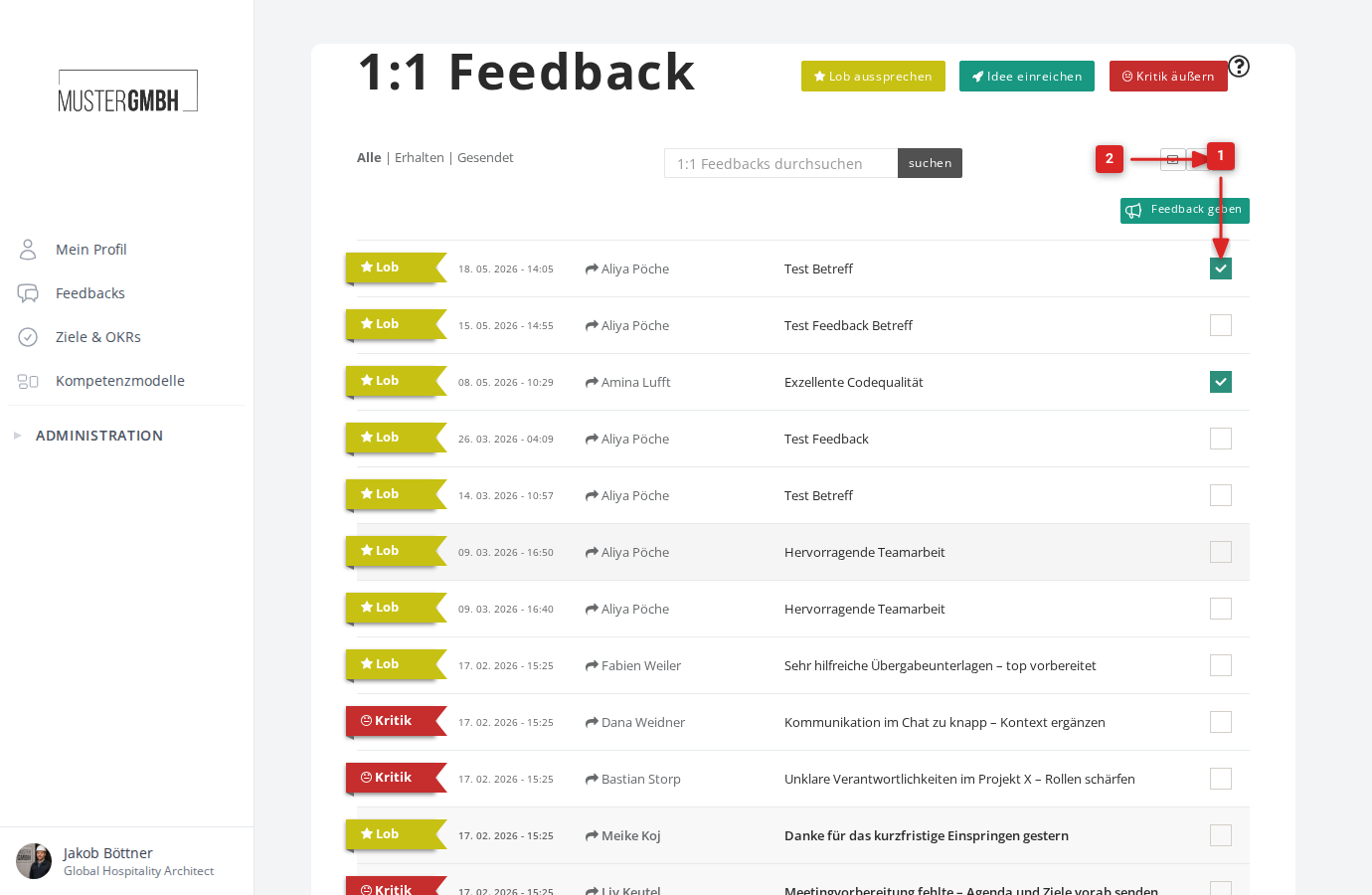
Bulk deletion is available on the standalone 1:1 feedback page. Open it by right-clicking the Feedbacks tab on your profile and choosing “Open in new tab”.
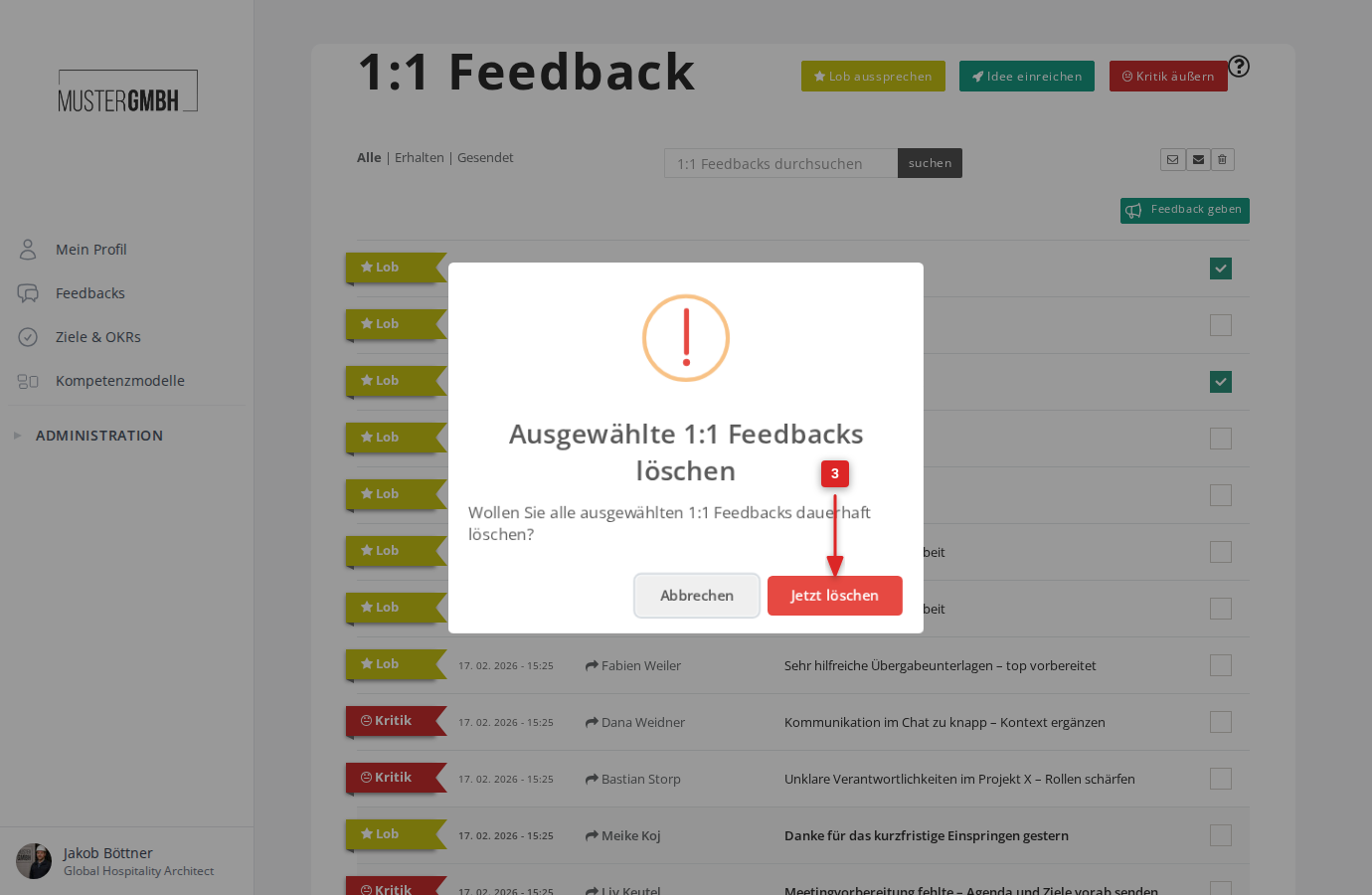
- Tick all the 1:1 feedbacks you want to delete.
- Click the trash-can icon above the list on the right.
- Confirm with Delete now.