Give feedback
With the 1:1 feedback feature you can send colleagues praise, ideas or critique directly. There are three feedback types:
- Praise somebody: recognition for good work or special commitment
- Submit idea: suggestions for improvement or new ideas
- Express critique: constructive feedback on where things can improve
The recipient is notified about the feedback by email.
You can give feedback in two ways: directly from an employee’s profile, or from the 1:1 feedback area.
Give feedback from an employee’s profile
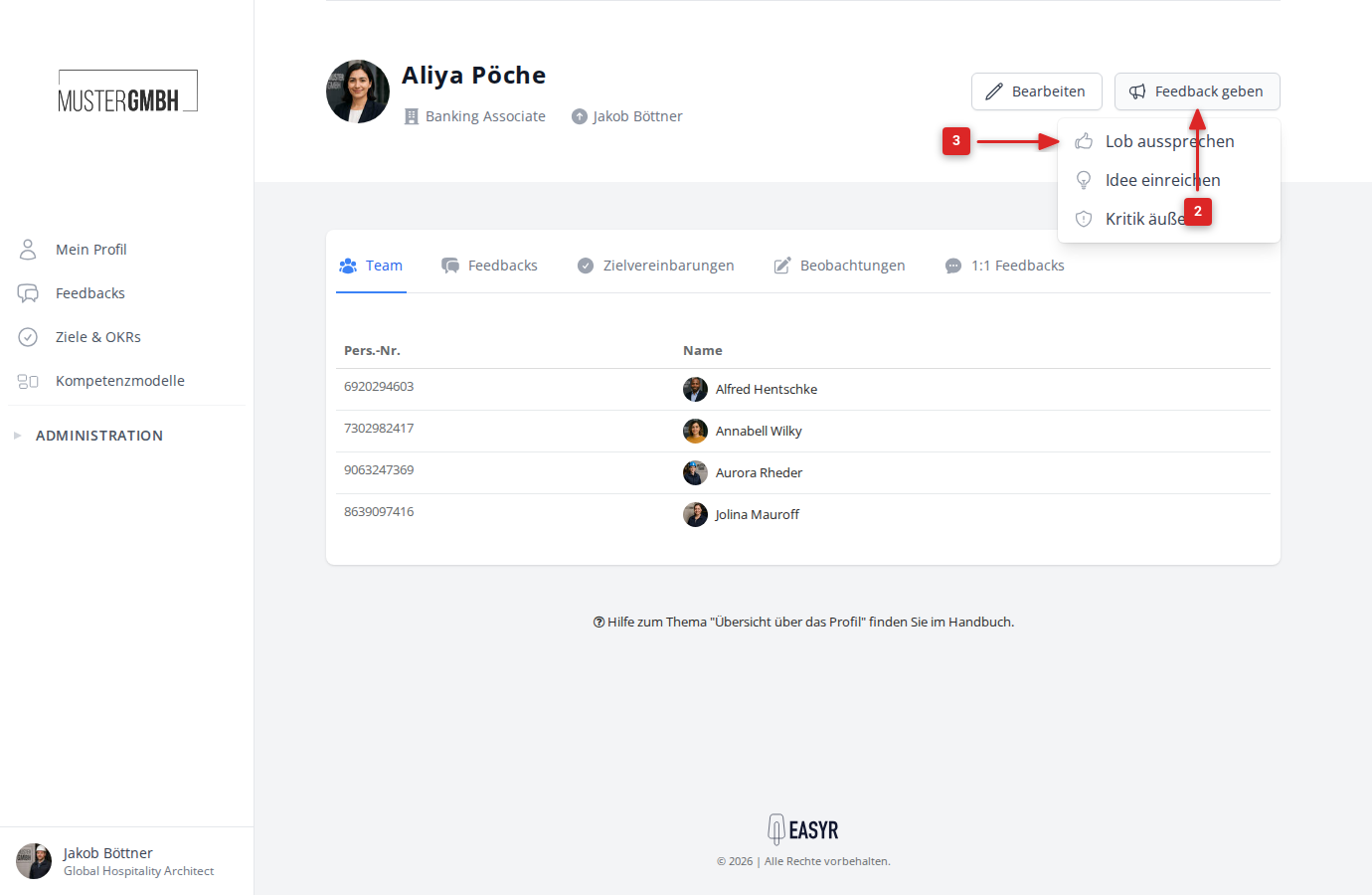
- Open the profile of the colleague you want to give feedback to.
- At the top right, click the Give feedback button.
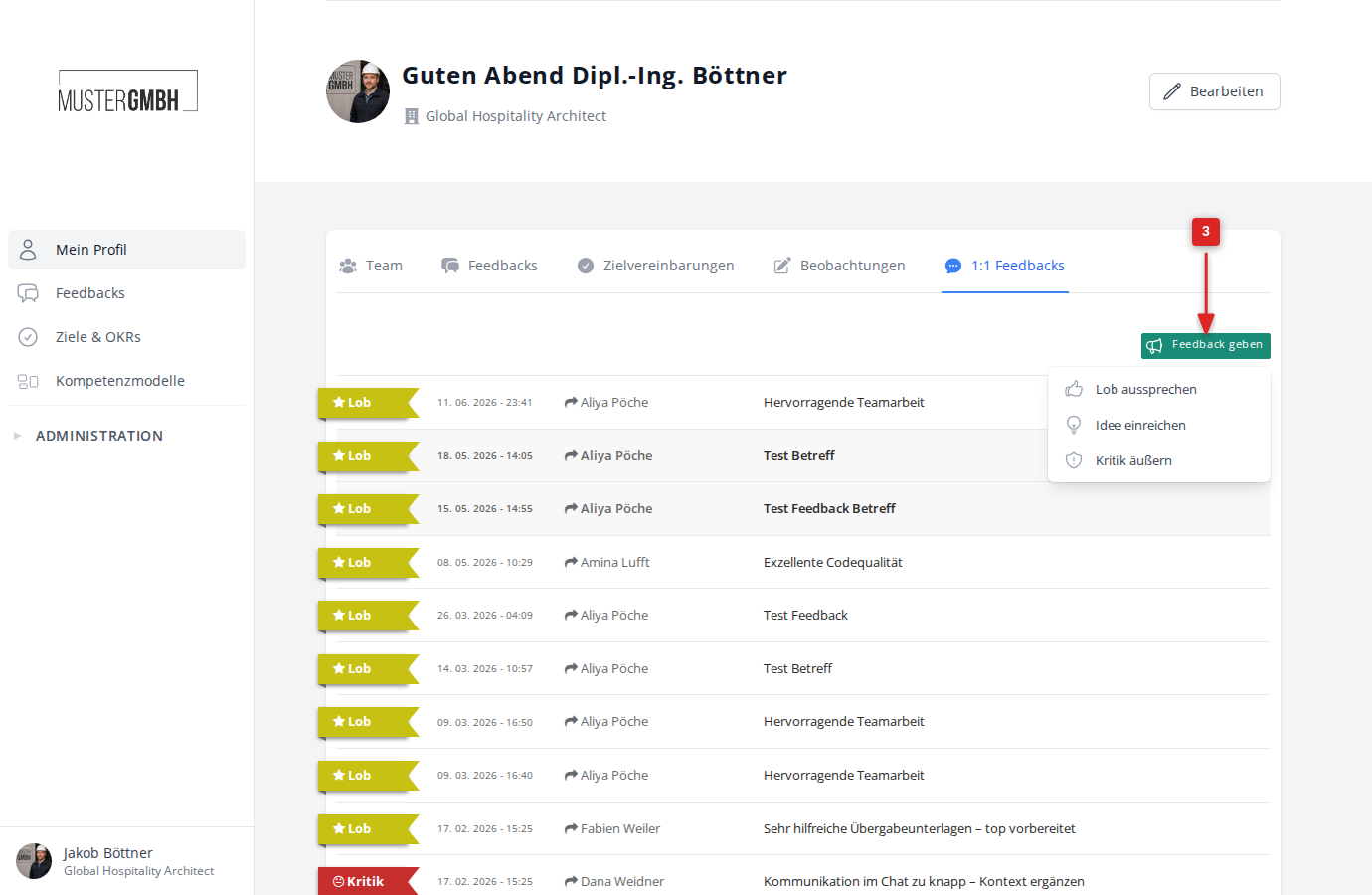
- In the dropdown menu, choose the feedback type: Praise somebody, Submit idea or Express critique.
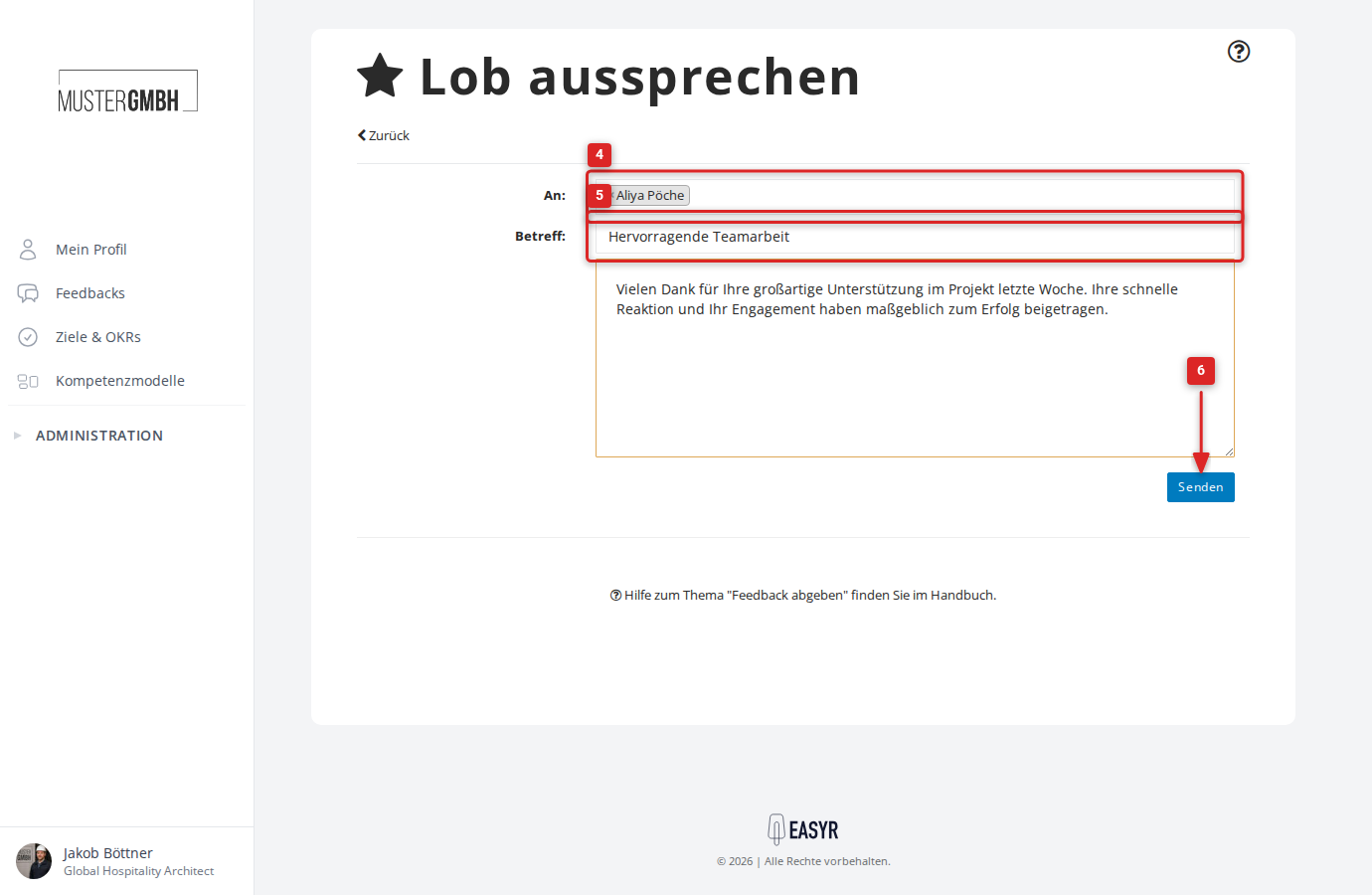
- The feedback form opens with the recipient already filled in. Enter a subject in the Subject field.
- Write your feedback in the large text field.
- Click Send.
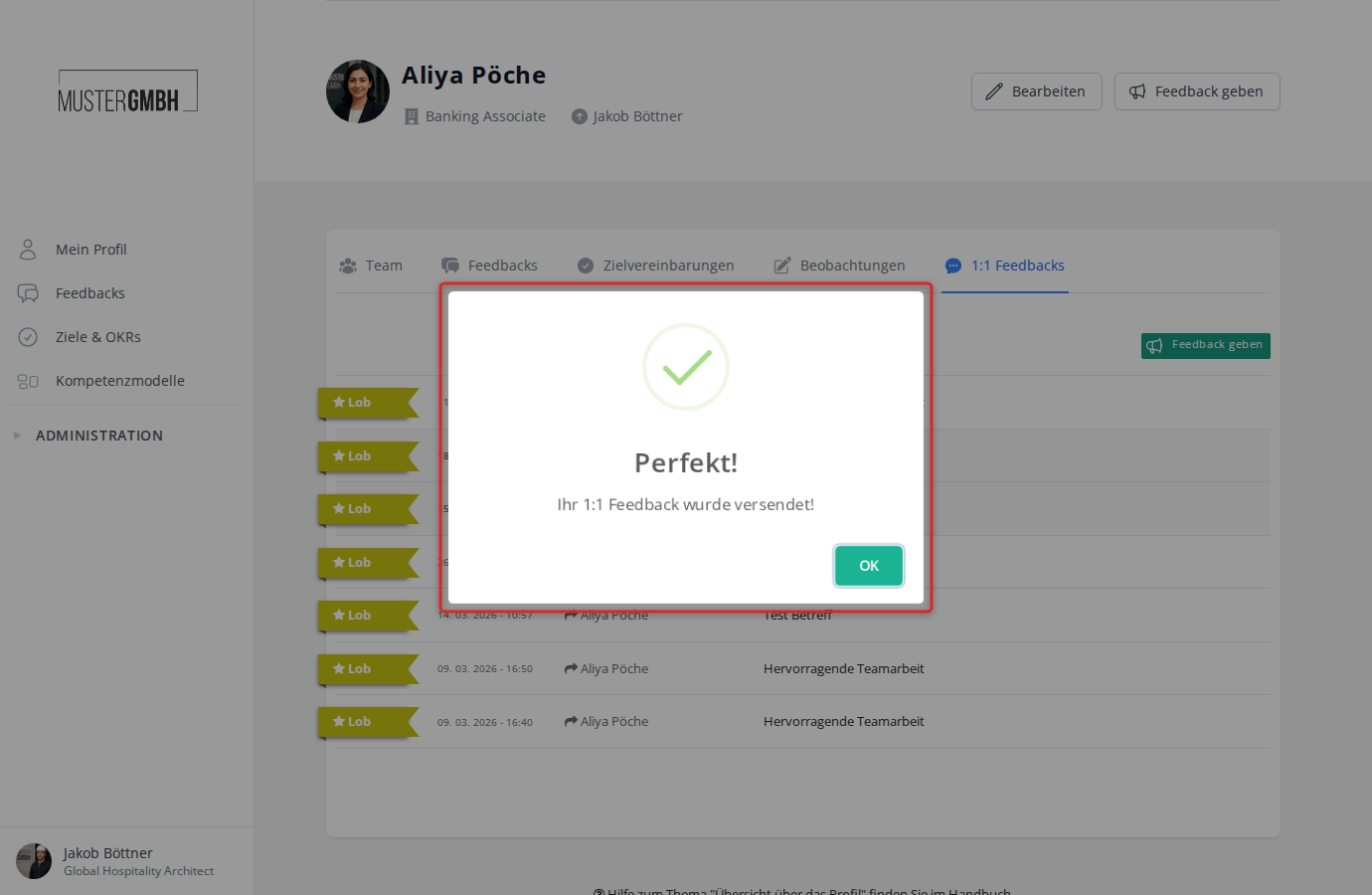
- A confirmation shows that the feedback was sent successfully. Click OK.
Give feedback from the 1:1 feedback area
You reach the 1:1 feedback area through the Feedbacks tab on an employee’s profile.
- Open an employee profile (for example your own, via Profile in the sidebar).
- Click the Feedbacks tab.
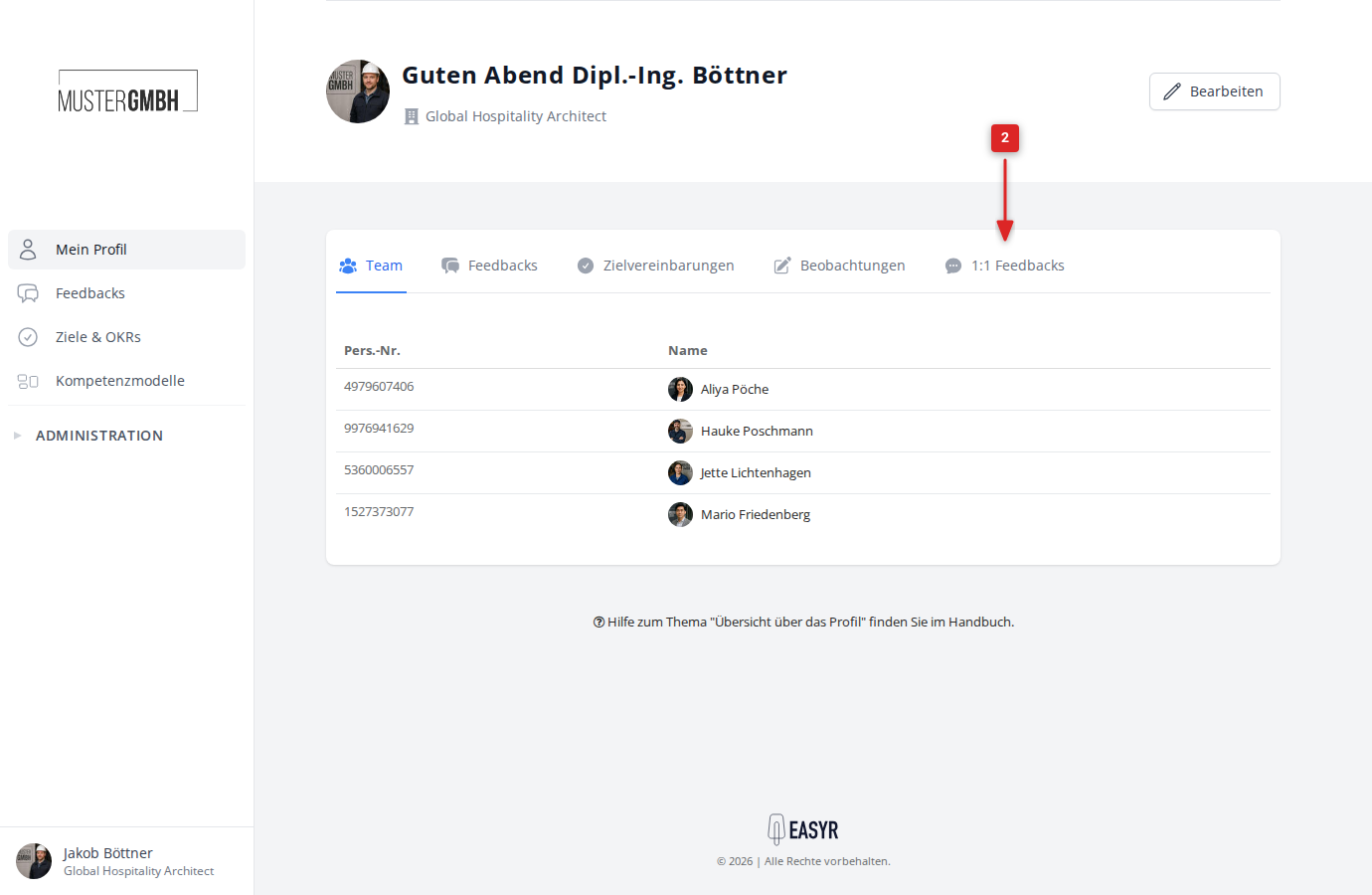
- You see an overview of all sent and received feedbacks. Click the Give feedback button and choose the feedback type: Praise somebody, Submit idea or Express critique.
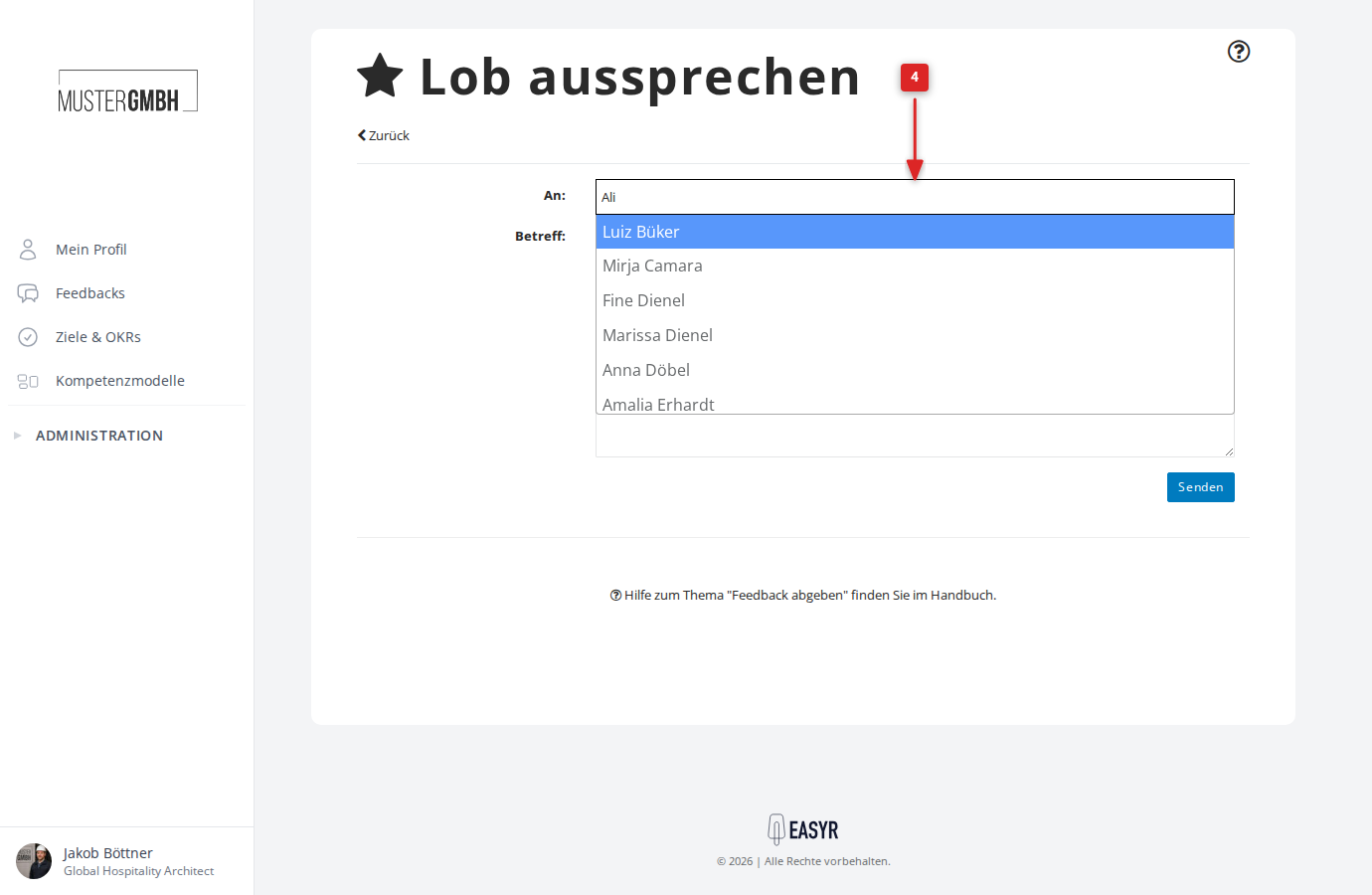
- The feedback form opens. In the To field, type the recipient’s name. As you type, matching colleagues are suggested.
- Click the colleague you want in the suggestion list.
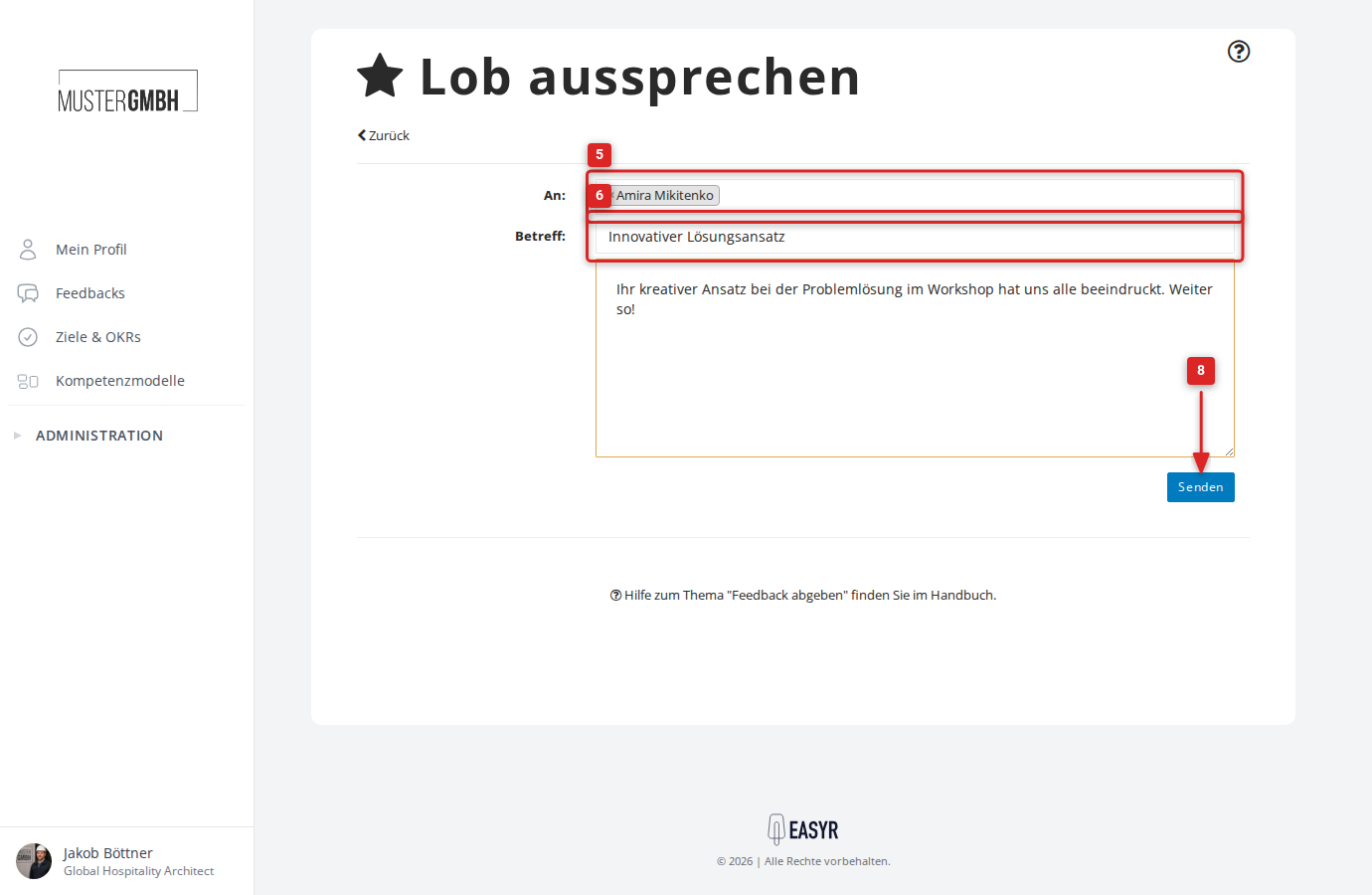
- Enter a subject.
- Write your feedback in the large text field.
- Click Send.
- A confirmation shows that the feedback was sent successfully.