Read feedback
The Feedbacks tab in your profile shows all of your 1:1 feedbacks in one place — both the ones you received and the ones you sent (praise, ideas and critique).
Open your feedbacks
- In the sidebar, click Profile.
- Open the Feedbacks tab.
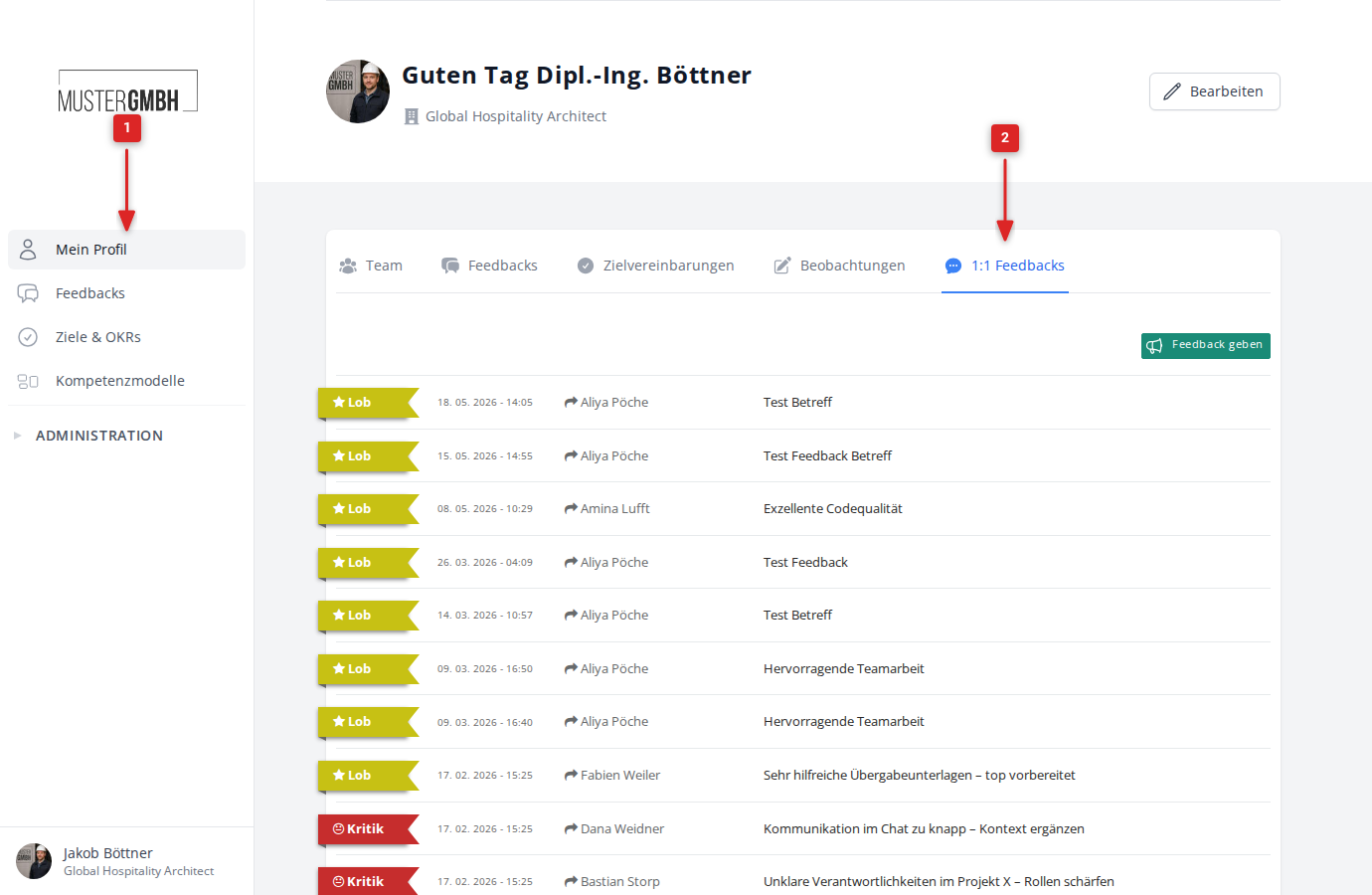
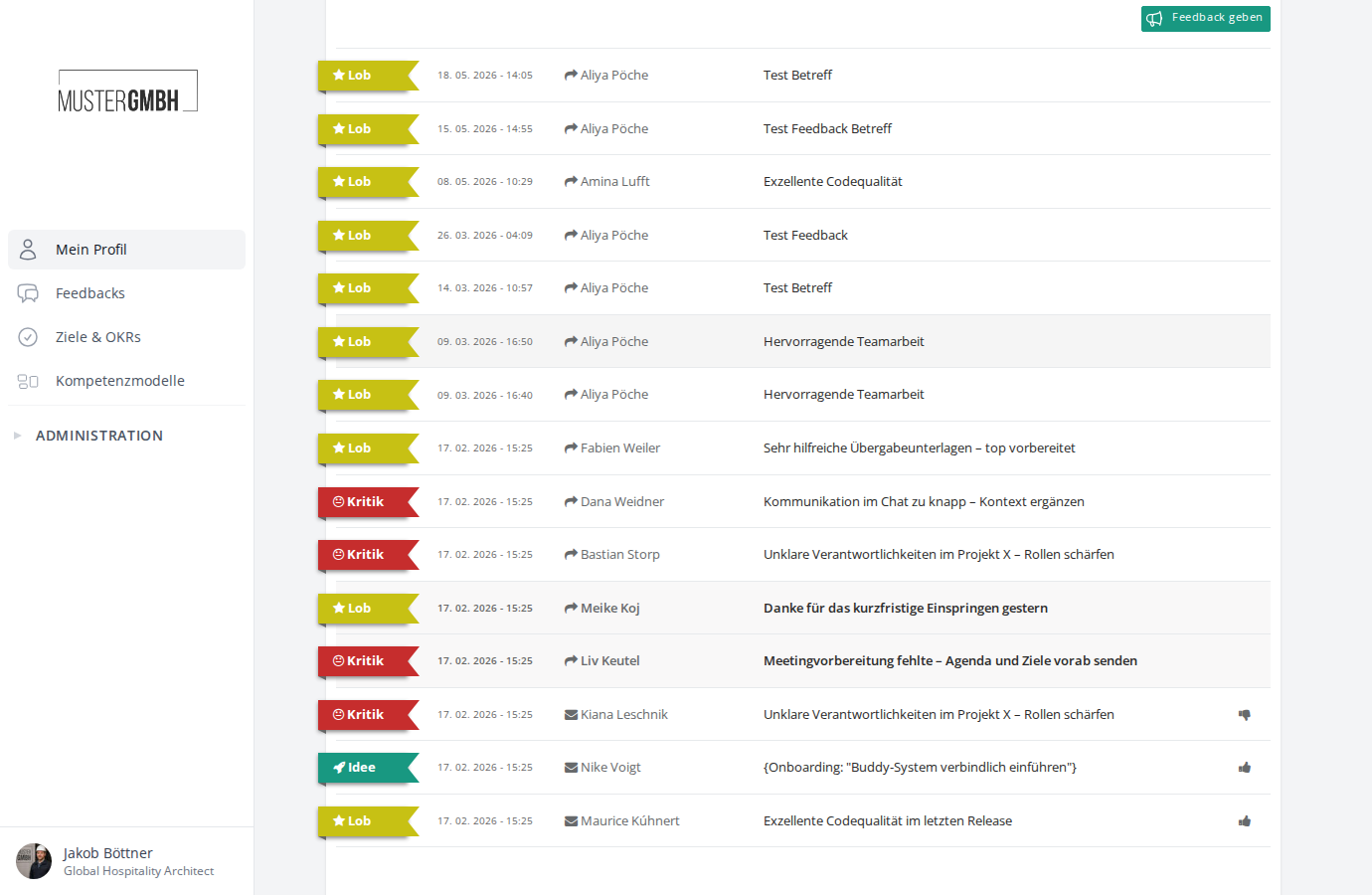
The list shows all of your 1:1 feedbacks. Each entry contains:
- the feedback type as a colored label (praise, idea or critique)
- the date and time of the feedback
- a direction icon: an envelope for received feedback, an arrow for sent feedback
- the name of the sender (for received feedback) or recipient (for sent feedback)
- the subject of the feedback
- a thumbs icon, if the feedback has already been rated
Open a feedback
Click the subject of a feedback to open it.
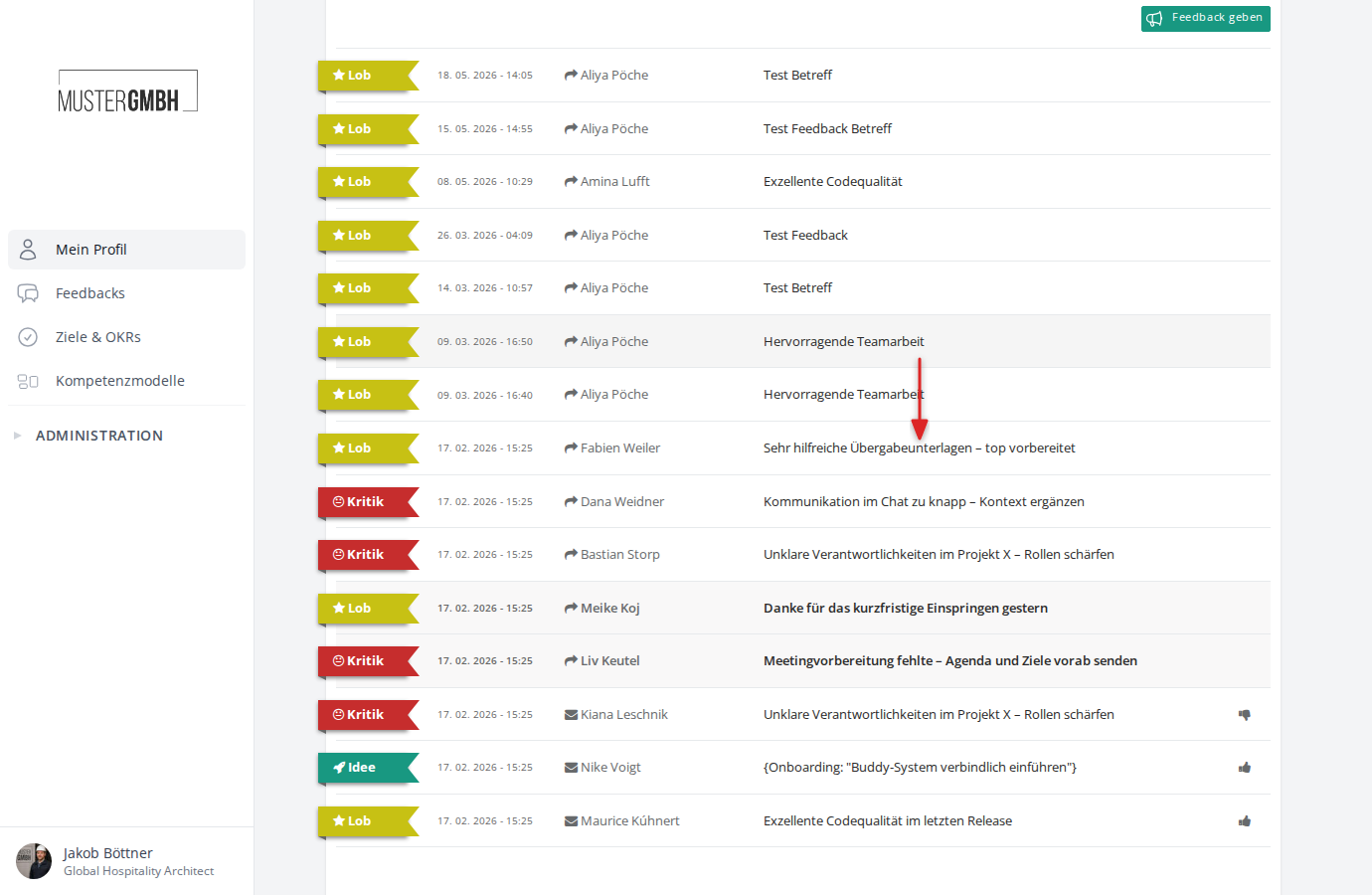
The detail view shows everything about the feedback:
- type and direction as the heading, e.g. “Received praise” or “Sent critique”
- sender (“From”) and recipient (“To”) with profile picture and position
- the subject of the feedback
- the date and time to the left of the message text
- the message text with the actual feedback
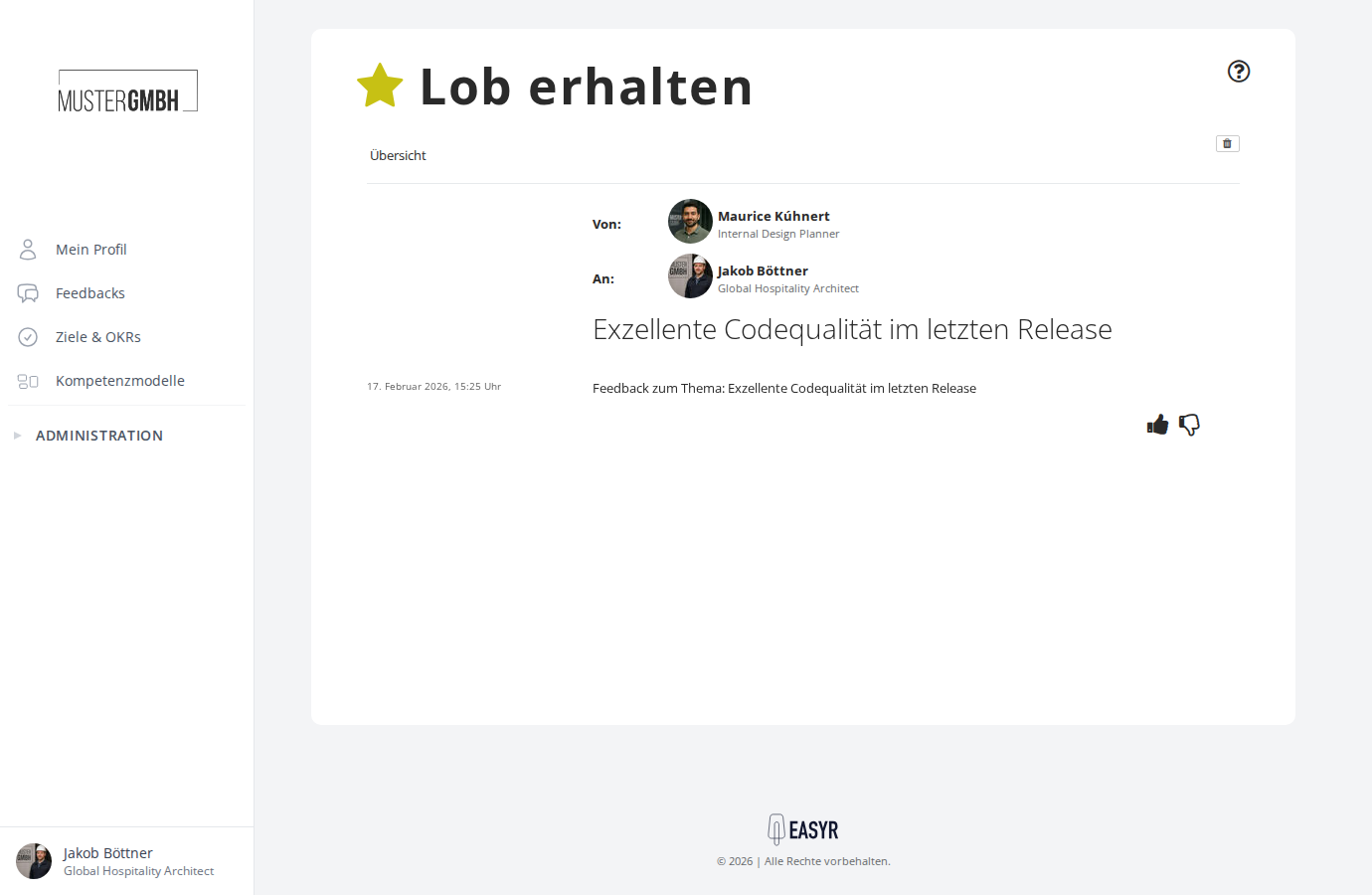
Use the Overview link at the top left to return to the feedback list.
Delete a feedback
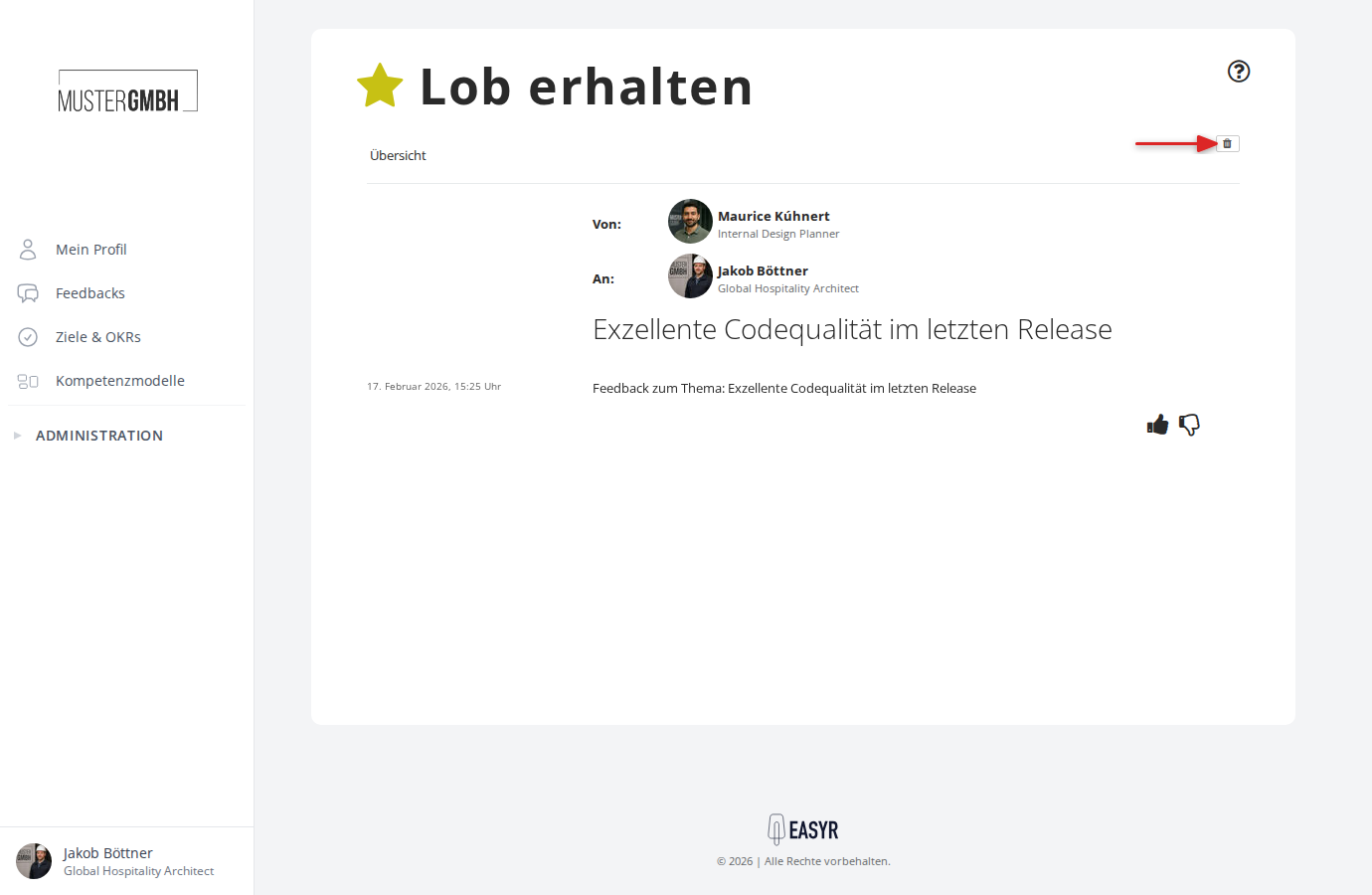
You can delete a single feedback from its detail view:
- Open the feedback by clicking its subject.
- Click the trash icon at the top right.
- Confirm the deletion in the dialog.