Translate questionnaires automatically
When employees take part in a feedback in several languages, every question text has to exist in every language. With automatic translation you maintain the questionnaire in one language only, the base language. When you change a text there and save it, easyreview translates it into the target languages you selected.
Switch on automatic translation
- Open the settings of the feedback process.
- In the “Additional functions” card, click “Set up” in the “Translations” row.
- Tick the “Translate content automatically” checkbox.
- Under “Base language”, choose the language in which you maintain the content.
- Under “Translate into”, choose the languages easyreview should translate into.
- Check the result sentence and click “Save” at the bottom of the page.
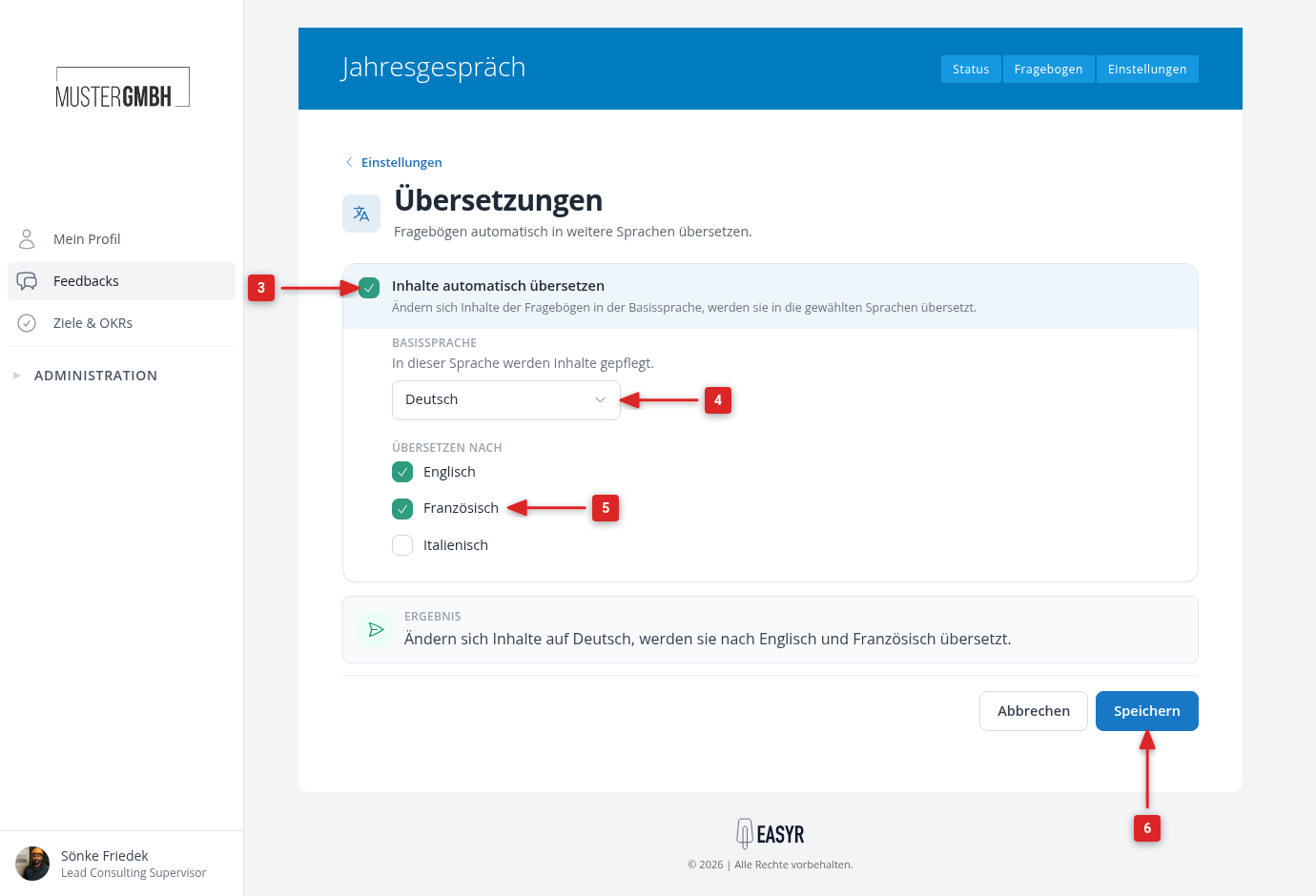
The result sentence sums up your choice, for example “When content in German changes, it is translated into English and French.” Afterwards, the “Translations” row in the settings overview reads, for example, “On · from German into English and French”.
What gets translated
easyreview translates what you change and save in the base language: question titles, hints, answer options and the other texts of the questionnaire. The translation runs in the background and is usually done after a short while. Placeholders such as [Vorname] are translated along, so they keep working in the target languages.
Texts that are already in the questionnaire are not translated retroactively when you switch the feature on. They are translated as soon as you change them in the base language. If a finished questionnaire should be translated completely, contact your easyreview representative.
The performance questions are an exception: when you save the translation settings, easyreview fills in their missing translations.
Switch off automatic translation
On the “Translations” page, untick “Translate content automatically” and click “Save”. Existing translations are kept. Changes in the base language are no longer translated afterwards; you then maintain the other languages yourself.