Element types
Besides the question types, the easyreview questionnaire editor also offers so-called elements. Elements are building blocks that require no answer from participants. They structure the questionnaire, display information, or pull in external data.
You add elements from the ”+ Element” dropdown in the questionnaire editor. That dropdown lists both question types and element types. Question types carry the prefix “Question:” in their name; element types do not.
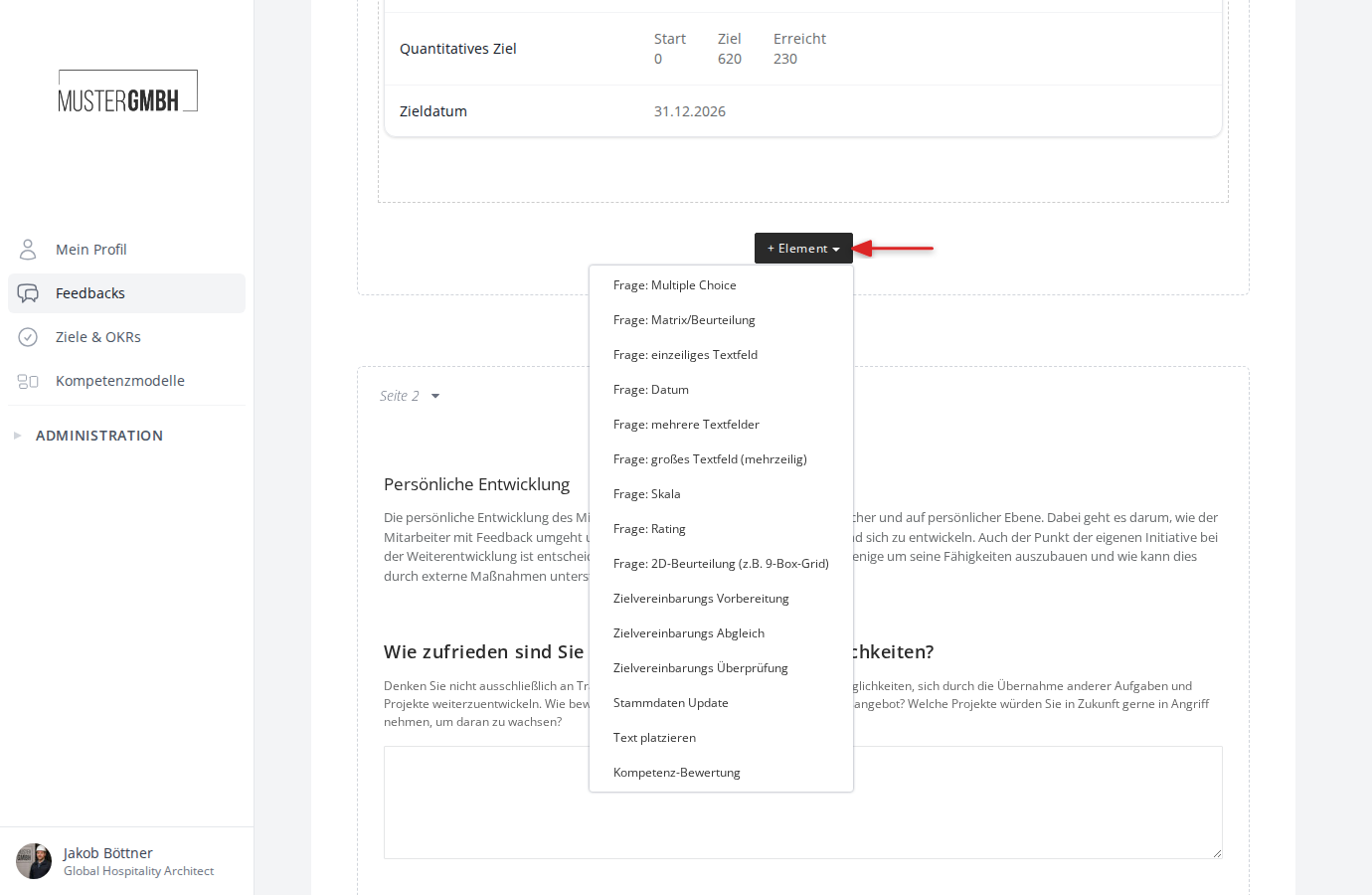
The element types at a glance
Free text
A free-text element places formatted text anywhere in the questionnaire. Use it for section headings, hints, or explanations for your participants. The text can carry formatting such as bold or headings.
In the dropdown this element type is called “Place text”.
See the Free text article for details.
Page break
A page break splits the questionnaire into several pages. Longer questionnaires become clearer and easier to work through for participants.
You add page breaks with the ”+ Page” button, which appears between the individual pages in the questionnaire editor.
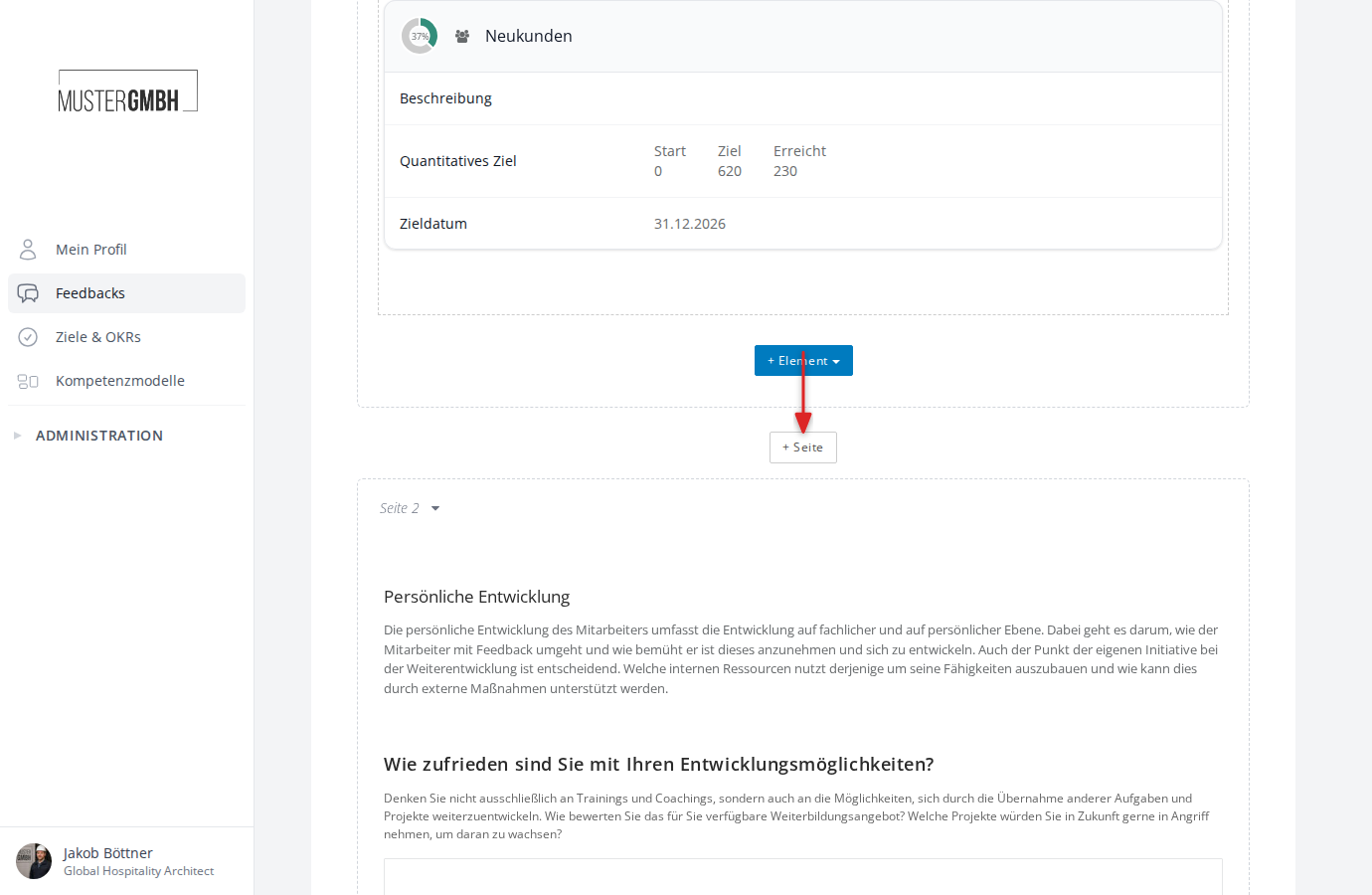
See the Page break article for details.
Objectives review
This element embeds an existing target agreement directly in the questionnaire. The target agreement is shown read-only, so participants can see the current state of the goals without being able to change anything.
In the dropdown this element type is called “Objectives review”.
See the Target agreement review article for details.